

When you’re evaluating PEOs, the quality of your comparison data determines whether you get a fair deal or overpay for years. Most buyers walk into the process with a vendor’s own pricing sheet and nothing else to benchmark against. That’s a problem.
The market for PEO services spans 40-plus providers with wildly different fee structures, contract terms, and benefits benchmarks. Without independent data, you cannot tell whether the quote in front of you is competitive or inflated. Some sources give you pricing transparency. Some give you regulatory verification. Some give you user experience patterns. Very few give you all three.
This guide covers the best sources for PEO market comparison data, ranked by depth, independence, and practical usefulness for HR leaders and finance executives at companies with 10 to 2,000 employees. Whether you’re buying for the first time, heading into a renewal, or considering a switch, these are the resources worth your time.
1. PEO Metrics
Best for: Independent, side-by-side PEO comparison on cost, contracts, and benefits benchmarks
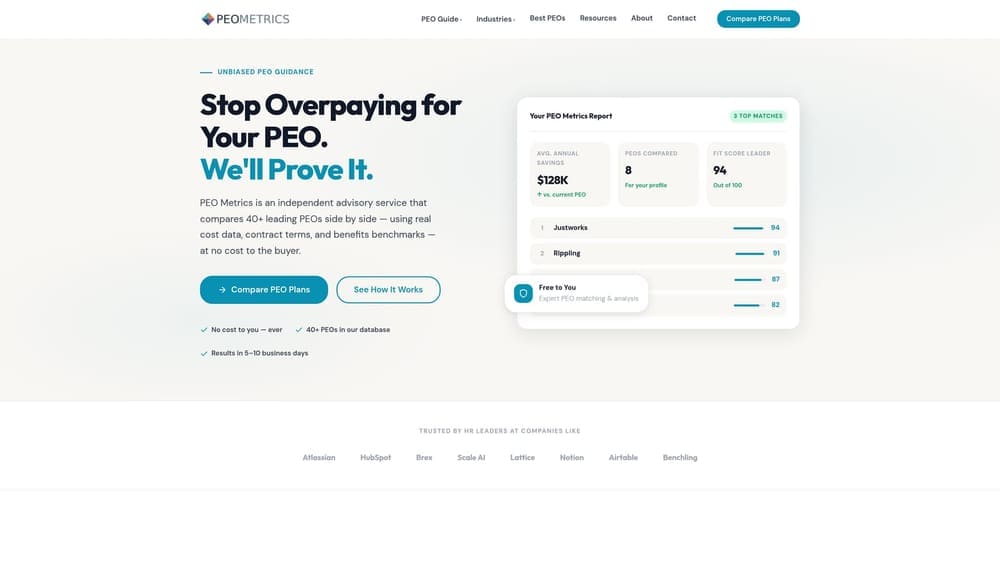
PEO Metrics is an independent advisory service that compares 40+ PEOs side by side on cost data, contract terms, and benefits benchmarks using a 12-dimension methodology, free to the buyer.
Where This Tool Shines
The core problem with PEO market data is that most of it comes from vendors. PEO Metrics sits on the buyer’s side of the table. It has matched 850+ companies since 2019 and benchmarked $2.1B in payroll, which means the cost comparisons reflect what real buyers at real companies actually paid, not what a PEO’s sales deck says they might pay.
The 12-dimension methodology covers the things that actually move the needle at renewal: admin fee structure (PEPM vs. percentage of payroll), workers’ comp deposit terms, benefits benchmarks by company size, and contract exit provisions. Most public comparison sites skip all of that. The intake takes roughly 8 minutes, and the report comes back in 5 to 10 business days.
Key Features
40+ PEOs tracked and compared: Side-by-side coverage of the full market, not just the vendors willing to pay for placement.
12-dimension methodology: Covers cost structure, contract terms, benefits benchmarks, compliance infrastructure, and more in a single structured comparison.
$2.1B in benchmarked payroll: Comparison data drawn from 850+ company matches since 2019, giving context that no vendor-sponsored list can replicate.
Report in 5 to 10 business days: After an approximately 8-minute intake, buyers receive a structured comparison rather than a sales call.
Serves companies with 10 to 2,000 employees: Useful across the full range from first-time buyers to PE-backed multi-state operations.
Best For
HR directors, CFOs, and founders who want an independent read on whether their current or incoming PEO quote is competitive. Especially valuable at renewal, when you need leverage and data rather than another vendor pitch. It’s also the right starting point for first-time buyers who want structure before talking to any sales rep.
Pricing
100% free to the buyer. PEO Metrics is compensated by PEO providers when a match results in placement, but the comparison itself is independent and unsponsored.
2. NAPEO (National Association of Professional Employer Organizations)
Best for: Macro market context, industry size data, and initial provider identification
NAPEO is the trade association for the PEO industry and publishes annual research on market size, economic impact, and a searchable member directory.
Where This Tool Shines
If you’re new to PEOs and want to understand the size of the market, how co-employment works, or which providers operate in your region, NAPEO is a reasonable starting point. The member directory lists PEOs by geography and service type, which helps narrow the field before you start requesting quotes.
One thing to keep in mind: NAPEO is funded by its PEO members. The research it publishes tends to present the industry favorably, and membership in NAPEO says nothing about a provider’s pricing competitiveness or contract terms. Use it for orientation, not for benchmarking.
Key Features
Annual industry research reports: Covers PEO market scope, number of worksite employees, and economic impact data useful for executive-level context.
Member directory: Searchable by geography and service type; a starting point for building a provider list.
Legislative and regulatory updates: Tracks changes affecting the PEO industry, including CPEO program developments and state-level co-employment rules.
Educational resources: Plain-language explanations of co-employment mechanics for buyers new to the model.
Best For
First-time buyers doing initial research, HR leaders who need to explain PEOs to a CFO or board, and anyone who wants macro market context before entering a buying process. Not useful for quote benchmarking or contract-term comparison.
Pricing
Free public access to most research and the member directory. Some advanced member resources require a NAPEO membership, which is priced for PEO providers rather than buyers.
3. IRS CPEO Registry
Best for: Verifying whether a PEO has met IRS certification requirements before you sign
The IRS CPEO Registry is the official government list of Certified Professional Employer Organizations, updated by the IRS and searchable by organization name.
Where This Tool Shines
CPEO status is one of the few hard, verifiable data points in the PEO market. A PEO that has earned CPEO certification has met IRS financial, background, and reporting requirements. More practically, CPEO status shifts federal employment tax liability to the PEO, which matters if you’re a company with exposure to federal tax risk.
Don’t take a vendor’s word on this. The IRS list is public, free, and authoritative. If a PEO claims CPEO status and isn’t on the registry, that’s a red flag worth stopping for. No secondary source, review platform, or trade association can replicate what the IRS registry tells you here.
Key Features
Official government registry: Maintained and updated directly by the IRS; no intermediary interpretation.
Confirms IRS certification requirements: Financial, background, and reporting standards that CPEO applicants must meet before certification is granted.
Federal employment tax liability shift: CPEO status is the legal mechanism that moves federal tax responsibility from the client company to the PEO.
Searchable by organization name: Takes under a minute to verify any specific provider.
Best For
Any buyer whose shortlist includes PEOs claiming CPEO status, and any company with meaningful federal employment tax exposure. This is a verification step, not a comparison tool, but skipping it is a real risk.
Pricing
Free. It’s a government registry.
4. G2
Best for: Identifying service quality patterns and support responsiveness across major PEO platforms
G2 is a software and services review platform with a dedicated PEO category featuring verified buyer reviews and feature-level satisfaction ratings.
Where This Tool Shines
G2 is most useful for spotting patterns you won’t find in a vendor’s sales deck: implementation friction, support response times, payroll error rates, and how a PEO handles problems after the contract is signed. When dozens of reviews mention the same issue, that’s signal worth taking seriously.
Where G2 falls short is pricing and contract terms. Reviews rarely get into PEPM specifics or what an exit clause actually says. And because vendors pay for enhanced placement, the ranking order on G2 reflects marketing spend as much as quality. Use G2 for qualitative due diligence, not for benchmarking a quote.
Key Features
Large volume of verified user reviews: Coverage across major PEO platforms with enough review depth to identify consistent patterns.
Feature-by-feature satisfaction ratings: Structured ratings on payroll accuracy, HR support quality, benefits administration, and platform usability.
Filters by company size and industry: Lets you narrow reviews to companies similar to yours, which improves relevance.
Review patterns over time: Useful for spotting whether a provider’s service quality has improved or declined after acquisition or rapid growth.
Best For
HR leaders who want a read on user experience before a demo, and buyers who want to pressure-test a shortlist by checking whether existing customers are happy. Not a substitute for independent pricing data.
Pricing
Free to access reviews. Vendors pay for featured placement, which affects ranking position but not the underlying review content.
5. Capterra
Best for: Building an initial PEO shortlist and comparing features side by side
Capterra is a software comparison platform with a PEO and HR software category offering structured product comparisons and user reviews.

Where This Tool Shines
Capterra’s side-by-side comparison tables are genuinely useful at the top of a buying process, when you’re trying to figure out which five or six PEOs to actually evaluate. The category filters let you sort by company size, features, and deployment type, which helps narrow a long list quickly.
The same caveat that applies to G2 applies here: vendors pay for featured placement, and ranking position does not reflect quality or pricing competitiveness. Treat Capterra as a shortlisting tool rather than a final evaluation resource. It tells you who the major players are; it doesn’t tell you whether their quotes are fair.
Key Features
Category filters: Sort by company size, features, and deployment type to narrow the field before requesting quotes.
Side-by-side comparison tables: Feature-level comparisons across multiple PEO products in a single view.
User reviews with structured ratings: Ratings across ease of use, support quality, and value for money.
Shortlisting utility: Practical for building an initial list of providers to evaluate before deeper due diligence.
Best For
First-time buyers who need a structured starting point and HR teams building a shortlist before requesting formal quotes. Most useful in the early stages of a buying process, before you need pricing benchmarks or contract-term analysis.
Pricing
Free to access. Vendors pay for featured placement, which influences where they appear in category listings.
6. ADP TotalSource
Best for: Mid-market and enterprise companies needing multi-state HR infrastructure and broad benefits purchasing power
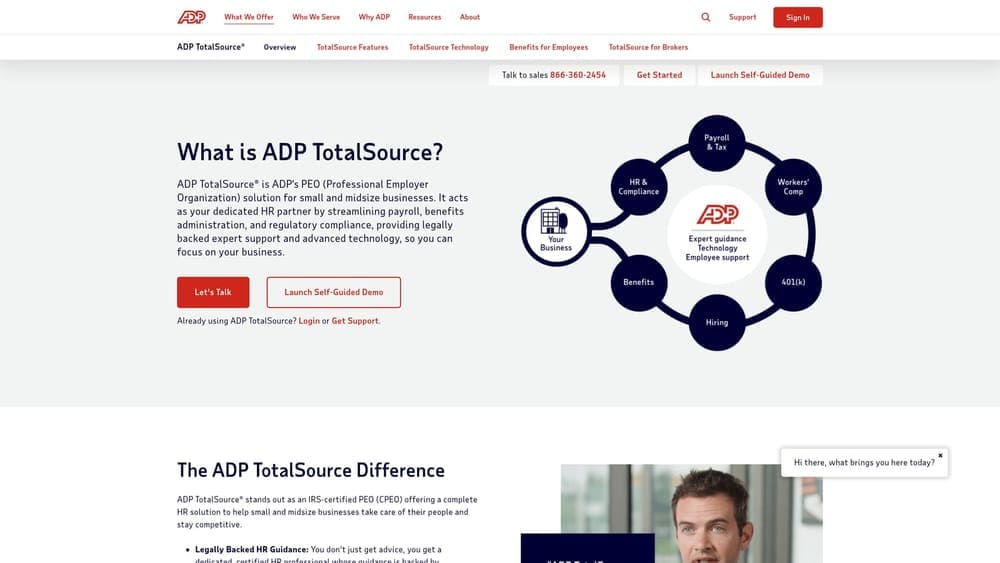
ADP TotalSource is one of the largest full-service PEOs in the US, offering payroll, benefits, HR support, and workers’ compensation administration.
Where This Tool Shines
ADP TotalSource’s genuine strength is scale. Its size gives it real purchasing power on benefits, and its multi-state compliance infrastructure is credible for companies operating across several jurisdictions. Enterprise HR teams often find that ADP’s brand recognition makes internal stakeholder buy-in easier.
The meaningful limitation is pricing opacity. ADP TotalSource does not publish rates, and quotes require a sales rep conversation. That makes self-serve benchmarking difficult. If you receive a quote from ADP TotalSource, you need independent market data to evaluate it, because there’s no published rate card to compare it against.
Key Features
National benefits purchasing power: Scale-driven negotiating leverage on health benefits that smaller PEOs can’t match.
Multi-state HR and compliance infrastructure: Genuine capability for companies with employees across multiple jurisdictions.
Integrated payroll and HR technology: Built on ADP’s broader platform, with established integrations across payroll, time, and HR systems.
Dedicated HR support model: Assigned HR specialists rather than a general call center, at least at higher service tiers.
Best For
Companies with 100 or more employees, multi-state complexity, or a need for enterprise-grade compliance infrastructure. Less suited to cost-sensitive buyers who want pricing transparency before engaging a sales team.
Pricing
Custom quotes only. Pricing requires a sales rep conversation and is not published, which makes independent benchmarking essential before you sign anything.
7. Justworks
Best for: Smaller companies that want transparent, published PEPM pricing as a real market benchmark
Justworks is a PEO with published, transparent PEPM pricing on its website, making it one of the few vendors buyers can use as an actual pricing reference point.

Where This Tool Shines
Pricing transparency is rare in the PEO market. Most providers require a sales conversation before revealing any numbers. Justworks publishes its PEPM rates, which means you can look up a real number before talking to anyone. For buyers trying to calibrate what “reasonable” looks like, that published rate card is genuinely useful as a benchmark anchor.
The limitation is scope. Justworks is built for smaller companies and offers a narrower compliance and risk management footprint than larger full-service PEOs like ADP TotalSource or Insperity. If your company is growing quickly, operating in multiple states with complex payroll, or needs deep HR specialist support, you may outgrow Justworks faster than you’d like.
Key Features
Published PEPM pricing: One of the few PEOs that posts rates publicly, making it a useful benchmark for evaluating other quotes.
Simple benefits packages: Straightforward health benefits options suited to companies that don’t need highly customized plan structures.
Streamlined onboarding: Designed for fast implementation, which matters for companies that need to move quickly.
Multi-state payroll compliance: Covers the basics for companies with employees in multiple states, though depth varies compared to larger providers.
Best For
Companies with under 100 employees that want pricing clarity before committing to a sales process. Also useful as a benchmark reference for buyers evaluating other PEOs whose pricing is not public.
Pricing
Published PEPM rates available on justworks.com. Pricing tiers vary by company size and benefits selection; check the current rate card directly, as tiers are updated periodically.
8. Rippling
Best for: Tech-sector companies with complex software stacks that want modular HR and PEO functionality in one platform
Rippling is a modular workforce platform that includes a PEO option alongside standalone HR, payroll, and IT management products.
Where This Tool Shines
Rippling’s architecture is genuinely different from a traditional PEO. Its modular structure gives buyers granular visibility into what each feature costs, which is unusual in a market where most providers bundle everything into a single fee. For companies that want to pick and configure their HR stack, that flexibility is real.
The limitation is one that buyers often miss until they’re deep into a comparison: the PEO layer in Rippling is one module within a broader platform, not a traditional full-service PEO. When you’re comparing Rippling’s PEO pricing against a full-service provider like Insperity or ADP TotalSource, you need to scope carefully what’s actually included on each side. The comparison is not always apples to apples.
Key Features
Modular architecture: Feature-level pricing visibility across HR, payroll, and IT modules, which is rare in the PEO category.
Deep software integrations: Strong connectivity across HR, payroll, and IT management tools, particularly useful for tech companies with complex software environments.
PEO as a configuration option: The PEO layer is available within the broader Rippling platform rather than as a standalone product.
Granular feature selection: Buyers can add or remove modules, which affects both functionality and cost in ways that are more visible than with bundled PEOs.
Best For
Tech-sector companies that already use or want to consolidate HR, payroll, and IT management in one platform. Less suited to buyers who want a traditional full-service PEO with deep HR specialist support and robust benefits administration.
Pricing
Custom quotes; pricing depends on which modules are selected. Because the PEO layer is one component of a larger platform, total cost varies significantly based on your configuration.
Which Source Fits Your Situation
Here’s the honest summary: most of these sources do one thing well, and none of them does everything. The IRS CPEO Registry tells you whether a PEO has met federal certification requirements. G2 and Capterra tell you what existing customers think about service quality. NAPEO gives you market context. Justworks gives you a published rate card you can use as a pricing anchor. ADP TotalSource and Rippling are vendors you should evaluate, not neutral data sources.
If you’re heading into a renewal and want to know whether your current quote is competitive, or if you’re a first-time buyer who wants structured data before talking to any vendor, PEO Metrics is the resource built specifically for that situation. The 12-dimension methodology covers the fee structures, contract terms, and benefits benchmarks that actually determine whether you’re getting a fair deal. It’s free to the buyer, takes about 8 minutes to start, and delivers a report in 5 to 10 business days.
Before you sign that PEO renewal, make sure you’re not leaving money on the table. Many businesses overpay because of bundled fees, hidden administrative markups, and contracts designed to limit flexibility. You deserve a clear, side-by-side breakdown of pricing, services, and contract terms before you commit.
Don’t auto-renew. Make an informed, confident decision.
Before you sign that PEO renewal, make sure you’re not leaving money on the table.
Many businesses unknowingly overpay because of bundled fees, hidden administrative markups, and contracts designed to limit flexibility. We give you a clear, side-by-side breakdown of pricing, services, and contract terms—so you can see exactly what you’re paying for and choose the option that truly fits your business.
