
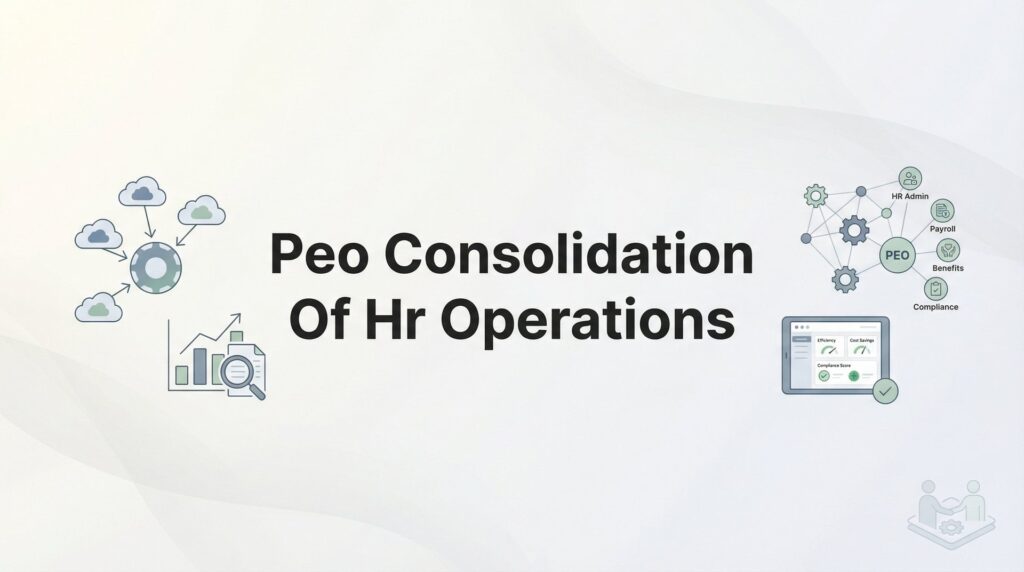
If you’re running HR across multiple systems, vendors, and spreadsheets, you already know the pain. Payroll lives in one platform. Benefits enrollment happens somewhere else. Compliance tracking might be a shared folder or, worse, someone’s memory. Every new hire means logging into four different tools. Every audit means scrambling to piece together records from scattered sources.
This is the reality for most growing businesses before they consolidate HR operations through a PEO.
The appeal is straightforward: instead of managing five or six HR relationships and systems, you work with one. Payroll, benefits, compliance, workers’ comp, and HR support all flow through a single provider. But getting from fragmented chaos to consolidated operations isn’t just about signing a PEO contract.
It requires deliberate planning, honest assessment of what you’re currently doing, and a clear-eyed view of what consolidation will and won’t solve. This guide walks you through the actual process—from auditing your current HR mess to measuring whether consolidation delivered what you expected.
No theory. No fluff. Just the steps that matter when you’re trying to simplify HR without creating new problems.
Step 1: Audit Your Current HR Fragmentation
Before you can consolidate anything, you need to see exactly what you’re dealing with. Most businesses underestimate how scattered their HR operations really are until they map it all out.
Start by listing every HR function your business handles. Payroll processing. Benefits administration. Workers’ comp. Time tracking. Compliance monitoring. Onboarding. Offboarding. Performance reviews. Employee records. For each function, write down which vendor, system, or person currently owns it.
You’ll probably discover you’re managing more relationships than you thought. A typical mid-sized company juggles a payroll provider, a benefits broker, a workers’ comp carrier, maybe a standalone HRIS, possibly a time tracking system, and someone internally who patches it all together with spreadsheets.
Next, document the true cost of this fragmentation. Add up all the subscription fees and vendor charges. Then estimate the hours your team spends on manual data entry between systems. How long does it take to reconcile payroll data with your accounting software? How many hours go into preparing for benefits enrollment because nothing syncs automatically?
Track error rates too. How often do payroll corrections happen? How frequently do benefits enrollments get messed up because information didn’t transfer correctly? These aren’t just annoyances—they’re measurable costs that affect your operating expenses in ways that don’t show up on a single line item.
Now identify which systems actually integrate versus which require manual bridging. Log into your payroll system and check if it automatically pulls time data or if someone exports a CSV every pay period. See if your benefits platform talks to payroll or if you’re manually updating deductions.
The systems that don’t talk to each other are where errors breed and admin hours pile up.
Finally, be honest about what’s actually broken versus what’s just inconvenient. If your standalone 401k provider works great and employees love the interface, maybe that’s not a consolidation priority. But if you’re spending five hours every pay period reconciling data between three systems, that’s a pain point consolidation must solve.
This audit gives you a baseline. You can’t measure improvement if you don’t know where you started.
Step 2: Define What ‘Consolidated’ Actually Means for Your Business
Consolidation doesn’t mean shoving everything into one system just because you can. It means strategically reducing complexity where it matters most.
Decide which functions are non-negotiable for PEO consolidation. For most businesses, payroll and benefits are obvious candidates—they’re deeply interconnected and create the most reconciliation headaches when separated. Workers’ comp often makes sense to consolidate because PEOs can usually secure better rates through their buying power.
But some functions might be better left separate. Maybe you’ve got a 401k provider with exceptional investment options and low fees. Or your ATS works perfectly and integrates with your recruiting workflow. You don’t have to consolidate everything just to check a box.
Set realistic expectations upfront. Consolidation doesn’t mean one login magically solves every HR problem. It means one relationship owns accountability. When something breaks, you’re not playing vendor blame game. When you need HR compliance protection, you’re not wondering who to call.
That’s the real value: single-source accountability.
Identify integration requirements for systems you’re keeping. If you’re maintaining your ATS, your PEO needs to integrate with it so new hire data flows automatically. If you’re keeping your accounting software, payroll data needs to export cleanly. If you use physical time clocks, they need to talk to the PEO’s time tracking system.
Ask these questions during evaluation, not after you’ve signed a contract.
Establish success metrics before you start shopping. What does winning look like? Maybe it’s reducing HR admin hours by 30%. Maybe it’s cutting payroll error rates in half. Maybe it’s being audit-ready in under an hour instead of three days of scrambling.
Write these metrics down. Assign numbers to them. You’ll need this baseline when you’re measuring results six months from now and wondering if consolidation actually delivered.
The companies that get the most value from PEO consolidation are the ones who define success clearly before they start. The ones who regret it are usually the ones who expected magic without doing the work.
Step 3: Evaluate PEOs Based on Consolidation Depth
Not all PEOs consolidate equally. Some are essentially payroll companies that bolted on benefits administration. Others are strong on compliance but weak on HR advisory. You need to evaluate based on the specific pain points you identified in Step 1.
Start by asking specific operational questions. Will I have one point of contact or will I get bounced between departments? How do your systems handle multi-state complexity if I have employees in six states? What’s your actual integration capability with my ATS and accounting software?
Don’t accept vague answers. “We integrate with most systems” doesn’t tell you anything. Ask to see the integration in action.
Request demos that show actual workflow consolidation, not just feature lists. You don’t need a sales pitch about how many features they offer. You need to see how an employee gets onboarded from offer letter to first paycheck. How benefits elections flow into payroll deductions. How time tracking data becomes a paycheck.
Watch for friction points in the demo. If the rep has to switch between three different screens to show you a complete employee record, that’s not really consolidated. If they can’t demonstrate how compliance alerts actually reach you, that’s a gap.
Compare how each PEO handles your specific pain points. If you’re drowning in multi-state compliance, ask how they manage state-specific requirements. If benefits reconciliation is killing you, ask to see their enrollment-to-payroll workflow. If workers’ comp claims are a nightmare, ask about their claims management process.
Pay attention to service model differences. Some PEOs assign dedicated account reps who know your business. Others route you through call centers where you explain your situation to someone new every time. Neither is inherently wrong, but one might fit your needs better.
Ask about implementation support. How long does transition typically take? Who manages data migration? What happens if errors surface during the first few payroll runs? The PEOs with strong implementation teams will have clear answers. The ones who rush you through will create problems later.
Check references, but ask smart questions. Don’t just ask if they’re happy. Ask how long implementation took, what surprised them, what they wish they’d known upfront, and whether the PEO actually delivered on consolidation promises. Our comparison of top PEO providers can help you narrow down candidates before you start scheduling demos.
The goal isn’t finding the PEO with the most features. It’s finding the one whose consolidation depth matches your operational reality.
Step 4: Plan the Data Migration and System Cutover
This is where consolidation projects succeed or fail. Poor planning here creates payroll errors, benefits gaps, and compliance headaches that take months to untangle.
Start by creating a master employee data file with clean, reconciled information. Pull data from every current system—payroll, benefits, time tracking, your HRIS if you have one. Then reconcile it. You’ll find discrepancies. Addresses that don’t match. Tax withholding elections that differ between systems. Benefits enrollments that were never properly recorded.
Fix these before migration. Garbage in means garbage out. If you migrate messy data, you’ll spend the next six months cleaning it up while trying to run payroll.
Establish a cutover timeline that accounts for payroll cycles, benefits enrollment windows, and compliance deadlines. You can’t just flip a switch mid-pay-period. Plan your go-live date for the start of a new pay period. If possible, align it with a benefits plan year to avoid mid-year enrollment complications.
Factor in state-specific requirements if you’re multi-state. Some states have quarterly reporting deadlines. Some have specific workers’ comp filing windows. Missing these during transition creates compliance gaps. If you’re operating across multiple states, understanding PEO requirements for multi-state companies becomes critical during this planning phase.
Decide what happens to historical data. What needs to migrate versus what gets archived versus what you just need access to? Most PEOs will migrate current-year payroll data and active employee records. Historical W-2s might stay with your old provider. Benefits claim history might need to be archived separately.
Document these decisions clearly. You don’t want to discover six months later that critical historical data is trapped in a system you no longer have access to.
Build in a parallel-run period if possible, especially for payroll. Run one payroll cycle through both your old system and the new PEO system without actually paying employees twice. Compare the results. Catch discrepancies before they hit employee bank accounts.
Not every PEO will accommodate parallel runs, but it’s worth asking. The ones who do are usually the ones confident in their implementation process.
Create a detailed cutover checklist. When does each system get turned off? When do employee logins change? When do managers start using new processes? Who communicates what to whom and when?
This level of planning feels tedious. But it’s what separates smooth transitions from chaotic ones.
Step 5: Execute the Transition Without Breaking Operations
You’ve planned the transition. Now you have to actually do it without creating panic or operational breakdown.
Start with clear employee communication. Send a message explaining what’s changing, what’s staying the same, and who to contact with questions. Employees don’t care about your vendor consolidation strategy. They care about whether their paycheck will hit on time and whether their insurance cards still work.
Address those concerns directly. “Your pay schedule isn’t changing. Your benefits coverage continues without interruption. Here’s your new login for the employee portal. Here’s who to contact if you have questions.”
Don’t assume one email is enough. People miss emails. Send reminders. Post information in your usual communication channels. Have managers reinforce the message in team meetings.
Assign internal ownership. Someone needs to be the point person coordinating with the PEO implementation team. This can’t be a side project someone handles when they have time. It needs focused attention, especially during the first few weeks.
This person should be in daily contact with the PEO during cutover week. They should be monitoring for issues, answering employee questions, and escalating problems quickly. Following a structured PEO onboarding implementation process helps ensure nothing falls through the cracks.
Run your first consolidated payroll with extra scrutiny. Before you approve the payroll run, verify tax withholdings match what employees elected. Check that benefits deductions are correct. Confirm direct deposit information transferred properly. Look at every manager’s payroll report to catch errors before funds move.
Expect some issues. First payrolls through a new system almost always surface something. Maybe a deduction didn’t transfer. Maybe a state tax setup needs adjustment. Maybe someone’s PTO balance didn’t migrate correctly.
The key is catching and fixing these quickly.
Document issues as they arise and establish a feedback loop with your PEO. Don’t just report problems—track them. Note what went wrong, how long it took to resolve, and what the PEO did to fix it. This documentation helps you assess whether you’re getting the service level you expected.
It also gives you leverage if problems persist. “We’ve reported this issue three times over two weeks” is more effective than vague frustration.
Stay visible during transition. Check in with managers. Ask employees if they’re having trouble with the new systems. Don’t wait for complaints to reach you—go find out what’s working and what’s not.
The first 30 days set the tone. Handle them well and consolidation looks like a win. Handle them poorly and you’ll spend months rebuilding trust.
Step 6: Measure Consolidation Results Against Your Baseline
You went through all this to simplify HR operations. Now you need to know if it actually worked.
Compare admin hours spent on HR tasks before and after consolidation. This is where ROI lives or dies. If you were spending 20 hours per pay period on payroll processing and reconciliation, are you down to 5 hours now? If benefits enrollment took two weeks of full-time work, did that drop to three days?
Track this honestly. Sometimes consolidation shifts work rather than eliminating it. Maybe payroll is faster but employee support tickets increased because the new portal is confusing. That’s not necessarily bad, but you need to see the full picture.
Track error rates. Are payroll corrections down? Are benefits enrollment mistakes less frequent? Are compliance gaps being caught proactively instead of during audits?
If error rates haven’t improved—or worse, if they’ve increased—something’s wrong. Either the implementation wasn’t done properly or the PEO’s systems aren’t as consolidated as promised.
Assess employee experience. Are employees finding the new systems easier or harder to navigate? Are support requests up or down? Are managers complaining about new processes or relieved by simplified workflows?
Employee satisfaction matters. If consolidation made your life easier but created frustration for 50 employees, that’s a tradeoff you need to acknowledge. A well-executed consolidation should actually improve employee retention by reducing administrative friction and improving benefits access.
Review at 90 days and again at 6 months. Consolidation benefits often take time to fully materialize. The first month might be rough as everyone adjusts. By 90 days, you should see clear improvement in the metrics you defined in Step 2. By 6 months, the benefits should be obvious.
If they’re not, you need to figure out why. Is it the PEO’s service quality? Is it incomplete implementation? Is it that your expectations were unrealistic?
Compare your results against the success metrics you established upfront. Did you hit your targets? If not, what’s the gap? Can it be closed with better processes, additional training, or does it require escalation with the PEO? Running a formal how to evaluate PEO cost effectiveness at this stage gives you concrete numbers to work with.
This measurement phase isn’t about finding problems to complain about. It’s about understanding whether consolidation delivered value and what adjustments might improve results.
The businesses that get the most from PEO consolidation are the ones who measure honestly and adjust based on what they learn.
Making Consolidation Work
Consolidating HR operations through a PEO can genuinely simplify your business—but only if you approach it as an operational project, not just a vendor switch.
The companies that get the most value are the ones who audit honestly, define success clearly, and measure results against real baselines. They don’t expect magic. They expect accountability, reduced complexity, and fewer hours spent on administrative busywork.
Use this checklist to track your progress: audit complete with documented pain points, consolidation scope defined, PEO evaluated on your specific requirements, data migration planned, transition executed with employee communication, and results measured at 90 days.
If you’re still comparing PEO options, focus on consolidation depth rather than feature lists. The PEO with the longest list of services isn’t necessarily the one that will actually simplify your operations. Look for the one whose systems genuinely integrate, whose service model matches your needs, and whose implementation process suggests they’ve done this successfully before.
Before you sign that PEO renewal, make sure you’re not leaving money on the table. Many businesses unknowingly overpay because of bundled fees, hidden administrative markups, and contracts designed to limit flexibility. We give you a clear, side-by-side breakdown of pricing, services, and contract terms—so you can see exactly what you’re paying for and choose the option that truly fits your business.
