
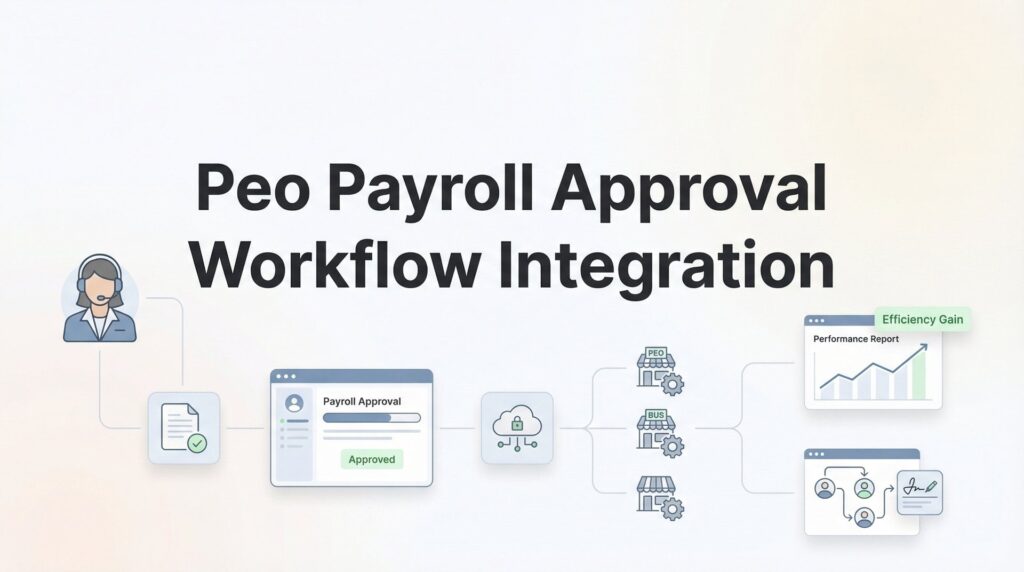
Getting payroll approval workflows right with your PEO is one of those things that sounds straightforward until you’re knee-deep in it. You’ve got your internal approval chain—maybe a manager signs off, then finance reviews, then someone hits the final button—and now you need that process to mesh with your PEO’s payroll system without creating bottlenecks or compliance gaps.
The reality is that most PEO platforms handle payroll processing well, but the approval workflow piece is where companies either streamline operations or create new headaches.
This guide walks you through actually integrating your approval workflows with your PEO’s payroll system, from mapping your current process to configuring the technical integration to testing everything before your next pay run. We’re focused on the practical work: what decisions you need to make, what your PEO needs from you, and how to avoid the common mistakes that lead to delayed paychecks or audit problems.
Whether you’re implementing this during initial PEO onboarding or retrofitting an approval workflow into an existing relationship, these steps give you a clear path forward.
Step 1: Map Your Current Approval Chain and Identify Integration Points
Before you touch any PEO settings, you need a clear picture of how payroll approvals actually work in your business right now. Not the theoretical org chart version—the real version where Sarah from accounting sometimes approves things because Tom is traveling, or where department heads skip review if it’s under a certain amount.
Start by documenting every approval touchpoint in your current process. Who reviews timesheets? Who signs off on overtime? Who approves commission payments or bonuses? Who gives final authorization before payroll runs? Write down the actual names and roles, not just job titles.
Then figure out where this process lives today. Are approvals happening in email threads? In your existing HRIS? Through a separate time tracking system? On spreadsheets that get passed around? Understanding your current infrastructure tells you what data already exists and what you’ll need to recreate or bridge.
Here’s where it gets practical: not every approval step needs to sync with your PEO platform. Some internal reviews can stay internal as long as the final approved data reaches the PEO before their processing deadline. Decide which approval gates must be visible to the PEO and which can remain in your internal systems.
For example, maybe your managers approve timesheets in your time tracking software, but only the finance team’s final sign-off needs to flow into the PEO platform. That’s a valid hybrid approach that reduces integration complexity.
Pay special attention to compliance-driven approval requirements. If you operate in multiple states, certain jurisdictions may require documented approval trails for multi-state payroll compliance . If you have union contracts, approval workflows might be specified in the agreement. If you process executive compensation or equity, you may need segregated approval chains with specific documentation requirements. Flag these compliance requirements now because they’ll dictate which parts of your workflow are negotiable and which aren’t. Your PEO needs to know about these constraints upfront—they affect what integration approach will actually work for your business.
Flag these compliance requirements now because they’ll dictate which parts of your workflow are negotiable and which aren’t. Your PEO needs to know about these constraints upfront—they affect what integration approach will actually work for your business.
The output of this step should be a simple flowchart showing who approves what, in what sequence, with notes on which steps must integrate with the PEO and which compliance requirements apply. This becomes your integration blueprint.
Step 2: Assess Your PEO’s Workflow Capabilities and Limitations
Not all PEO platforms are built the same when it comes to approval workflows. Some offer sophisticated multi-tier approval systems with role-based permissions and automated routing. Others give you a basic “approve or reject” button and expect you to handle complexity elsewhere.
Schedule a technical review session with your PEO’s implementation team. Don’t just ask if they support approval workflows—ask specifically what their system can do. Can it route approvals based on department? Cost center? Pay type? Dollar threshold? Can it handle sequential approvals where finance reviews only after managers approve? Can it manage parallel approvals where multiple people must sign off simultaneously?
Find out what happens when approvals get stuck. If an approver is on vacation or doesn’t respond, can the system automatically escalate? Can you configure backup approvers? Can you set time-based triggers that push notifications or route to someone else after a certain period?
Ask about API availability if their native workflow features don’t match your needs. Some PEOs offer robust APIs that let you build custom approval workflows in external systems and push approved data into their platform. Others have limited or no API access, which means you’re working within their native capabilities or using manual file transfers.
Timing constraints matter more than most people realize. Your PEO has specific processing deadlines—often 24 to 48 hours before payday—when all approvals must be finalized and payroll data locked. Understanding how PEOs affect payroll accrual timing helps you build realistic approval windows.
Clarify exactly what data your PEO can receive through integrations versus what they require you to manage in their platform directly. Some PEOs accept approved timesheet data via API but require you to enter manual adjustments or bonuses directly in their system. Others can handle everything through data feeds if properly formatted.
Also ask about audit trail capabilities. Can the PEO platform show you who approved what and when? Is that audit trail exportable for compliance purposes? If your industry requires specific approval documentation, confirm the PEO system captures it in the format you need.
The goal here isn’t to get a sales pitch about features. It’s to understand the actual operational boundaries of what their platform can support so you can design a workflow that works within those constraints.
Step 3: Design Your Integrated Workflow Architecture
Now you know what you need and what your PEO can actually do. Time to design the workflow that bridges the gap.
Your first decision: fully embedded or hybrid architecture. Fully embedded means all approvals happen inside the PEO platform—managers log into the PEO system to review and approve payroll data directly. Hybrid means some approval steps happen in external systems with approved data pushing into the PEO platform at a defined point.
Fully embedded is cleaner if your PEO’s workflow capabilities match your needs. Everything lives in one place, audit trails are automatic, and there’s no data sync to manage. The downside is you’re limited by what the PEO platform can do, and you may be forcing users to learn a new system.
Hybrid workflows give you flexibility. You can keep timesheet approvals in your existing time tracking system, expense approvals in your accounting software, and only push final approved totals to the PEO for processing. This works well when your PEO’s native workflow is basic but they offer decent API integration. If you’re already running an HRIS, understanding how to integrate your PEO with an existing HRIS platform becomes essential for hybrid setups.
Next, define your approval routing rules. How does the system know which approvals go to which people? Common routing methods include department-based (all marketing payroll goes to the marketing director), cost center-based (approvals route by budget ownership), pay type-based (regular wages follow one path, bonuses follow another), or threshold-based (amounts over a certain dollar value require additional approval).
Think through exception handling before you need it. What happens when someone submits payroll data that gets rejected? Does it route back to the submitter for correction? Does it trigger an alert? What if an approver is unavailable during the approval window? Can you configure automatic delegation to a backup approver, or does someone need to manually reassign?
Document the complete data flow with specific timing. For example: “Managers approve timesheets in BambooHR by end of day Monday. Approved timesheet data exports to PEO platform overnight Monday. Finance reviews aggregated payroll in PEO platform Tuesday morning. Final approval must be completed by 2pm Tuesday to meet PEO processing deadline for Friday payday.”
That level of specificity matters because it exposes potential bottlenecks. If finance needs four hours to review but the approval window is only two hours, you’ve got a problem to solve before implementation.
Build in buffer time wherever possible. If your PEO’s hard deadline is Tuesday at 5pm, set your internal final approval deadline for Tuesday at noon. Things go wrong—systems hiccup, people get stuck in meetings, data doesn’t sync cleanly. Buffer time keeps one small problem from cascading into missed payroll.
The output of this step should be a detailed workflow diagram showing every approval gate, who’s responsible, what triggers each step, how data moves between systems, and what timing constraints apply at each stage.
Step 4: Configure User Permissions and Approval Hierarchies
With your workflow designed, it’s time to build it in the actual systems. Start with user permissions in your PEO platform.
Create distinct approver roles with appropriate access levels. A department manager who approves timesheets doesn’t need access to company-wide payroll reports or the ability to process final payroll. A finance reviewer who signs off on total payroll doesn’t need to see individual employee timesheet details unless that’s part of their review process.
Most PEO platforms let you define custom roles with granular permissions. Use them. Set up roles like “Timesheet Approver,” “Payroll Reviewer,” “Final Authorizer,” each with only the permissions needed for that specific approval step. This reduces security risk and makes the interface cleaner for users who don’t need to see everything.
Build your approval chain with proper sequencing. If managers must approve before finance reviews, configure the system so finance can’t even see submissions until manager approval is complete. If you need parallel approvals—say, both HR and finance must sign off—set up the workflow to require both before moving to the next stage.
Configure delegation rules for each approver role. When someone goes on vacation or leaves the company, approvals shouldn’t pile up waiting for them. Set up backup approvers who automatically receive approval requests if the primary approver doesn’t respond within a defined timeframe, or allow approvers to temporarily delegate their authority to someone else.
Set up notifications strategically. Approvers need alerts when something requires their attention, but you don’t want to spam people with notifications for every minor update. Configure notifications for: new approval requests, approaching deadlines, escalations when approvals are overdue, and rejections that require resubmission.
Test permission boundaries thoroughly before going live. Log in as each approver role and verify they can see exactly what they should—and nothing they shouldn’t. Try to access areas that should be restricted. Attempt to approve things outside your assigned scope. If the system lets you do something you shouldn’t be able to do, fix the permissions now.
Pay special attention to audit access. Who can view the approval history? Who can see who approved what and when? Make sure this access is appropriately restricted while still being available to people who need it for compliance or operational review. Understanding the PEO impact on audit procedures helps you configure the right level of documentation.
Document the permission structure clearly so you can onboard new approvers without confusion and troubleshoot permission issues quickly when they arise.
Step 5: Establish Integration Connections and Data Sync
If you’re running a hybrid workflow where some approvals happen outside the PEO platform, this is where you build the technical bridges that move data between systems.
For API-based integrations, work directly with your PEO’s technical team on authentication setup and endpoint configuration. You’ll typically need API credentials, documentation on available endpoints, and clarity on data formats they expect. If you’re using middleware or integration platforms to manage the connection, involve them in these technical discussions early.
Define exactly what data moves in which direction. Common data flows include: approved timesheet data from time tracking systems to the PEO, approved expense reimbursements from accounting software to the PEO, approval status updates from the PEO back to your internal systems for record-keeping. Map each data element to confirm both systems can send and receive it in compatible formats.
For file-based integrations where you’re exporting data from one system and importing to another, establish clear file format specifications. CSV is common but confirm required column headers, date formats, how to handle special characters, and any data validation rules. Define the transfer schedule—does this happen automatically on a set schedule or manually before each payroll run?
Build error handling into every integration point. What happens if the API call fails? If a file doesn’t upload? If data doesn’t pass validation? Configure alerts so someone knows immediately when integration breaks, and document the recovery process so you can fix it quickly without missing payroll deadlines.
Set up two-way sync if your workflow requires it. For example, if managers approve timesheets in your time tracking system but finance does final review in the PEO platform, you might need approval status flowing back to your time tracking system so it reflects the complete approval state. Confirm both systems can handle bidirectional updates without creating data conflicts.
Configure comprehensive audit logging across all integration points. You need a record of what data moved between systems, when it moved, whether the transfer succeeded, and what the data looked like before and after. This audit trail becomes critical when troubleshooting discrepancies or responding to compliance audits.
Test the integration with real data in a non-production environment if possible. Many PEOs offer sandbox or test environments where you can run integration tests without affecting live payroll. Use them. Push data through the complete workflow and verify it arrives correctly, triggers the right approvals, and flows back accurately.
Document the integration architecture with enough detail that someone else could troubleshoot or maintain it. Include system diagrams, API endpoint documentation, file format specifications, error handling procedures, and contact information for technical support at each vendor involved.
Step 6: Run a Parallel Test Cycle Before Going Live
You’ve built the workflow, configured permissions, and set up integrations. Now comes the most important step: testing it with real payroll data before you depend on it.
Run at least one complete payroll cycle using your new workflow alongside your existing process. Submit actual timesheet data, route it through the new approval chain, and process it in the PEO platform—but don’t cut over completely yet. Keep your old process running in parallel so you have a backup if something breaks.
Verify that approval notifications reach the right people with the correct information. Do managers receive timesheet approval requests when they should? Does the notification include enough context to make an informed decision, or do approvers have to dig through multiple screens to understand what they’re approving? Are deadline reminders firing at appropriate times?
Test edge cases that will inevitably happen in real operations. What if someone submits a timesheet after the approval deadline? What if an approver rejects a submission—does it route back correctly with clear feedback on what needs to change? What if an approver is out of office and hasn’t set up delegation—does escalation work as configured?
Try approver substitution scenarios. Have someone go on vacation and delegate their approval authority to someone else. Verify the delegation works correctly and the substitute can approve without issues. Test what happens when the primary approver returns—does delegation automatically end or does it require manual intervention?
Compare the output from your new workflow against your existing process. Do the final payroll numbers match? Are approved hours the same? Are pay rates correct? Any discrepancy needs investigation before you go live—it could indicate a data mapping problem, a calculation error, or a workflow step that’s not functioning as designed. Knowing how to reconcile PEO payroll with your accounting records helps you catch these discrepancies early.
Confirm audit trail completeness and accuracy. Pull the approval history report from your PEO platform and verify it shows who approved what, when they approved it, and any rejections or modifications along the way. This audit trail needs to be comprehensive enough to satisfy compliance requirements and detailed enough to troubleshoot operational issues.
Get feedback from actual users. Ask the managers, finance reviewers, and other approvers who participated in the test cycle about their experience. Was the process clear? Were notifications helpful or annoying? Did they encounter any confusion or friction? User feedback often reveals practical problems that don’t show up in technical testing.
Don’t rush this phase. If you find issues during testing, fix them and test again. The cost of delaying go-live by one pay cycle is minimal compared to the cost of missing payroll or creating compliance problems because you pushed a broken workflow into production.
Making It Stick: Ongoing Workflow Management
Getting payroll approval workflows integrated with your PEO isn’t a one-time setup—it’s an operational process that needs periodic review as your company grows or your approval requirements change.
Your workflow that works perfectly for 50 employees might create bottlenecks at 150 employees. The approval chain that made sense with two departments gets complicated when you’re running eight departments across multiple locations. Plan to revisit your workflow design at least annually, or whenever you hit significant organizational changes.
The key is starting with a clear map of your current process, understanding what your PEO can actually support, and building in the testing time before you’re dependent on it.
Quick checklist before you go live: approval chain documented with specific roles and responsibilities, PEO capabilities confirmed and limitations understood, user permissions configured and tested, integration connections established with error handling, parallel test cycle completed successfully, and audit trail verified for completeness.
If you’re still evaluating PEOs or considering whether your current provider’s workflow capabilities meet your needs, comparing providers side-by-side on these operational features can save significant headaches down the road. Some PEOs excel at workflow flexibility while others lock you into rigid processes that don’t match how your business actually operates.
Before you sign that PEO renewal, make sure you’re not leaving money on the table. Many businesses unknowingly overpay because of bundled fees, hidden administrative markups, and contracts designed to limit flexibility. We give you a clear, side-by-side breakdown of pricing, services, and contract terms—so you can see exactly what you’re paying for and choose the option that truly fits your business. Don’t auto-renew. Make an informed, confident decision.
