
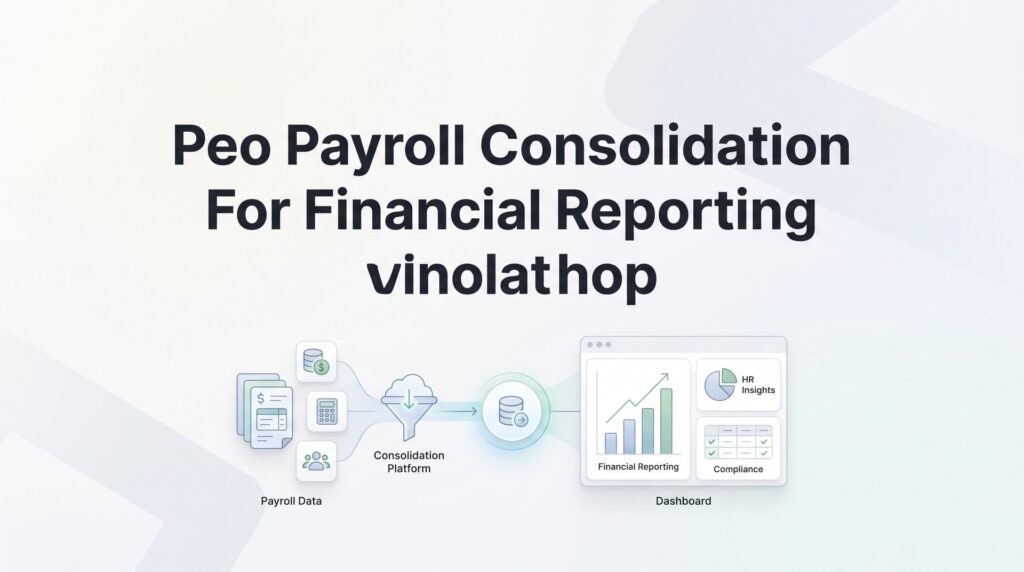
If you run payroll through a PEO, you already know the reporting gets messy. Your PEO bundles payroll taxes, workers’ comp, benefits, and admin fees into a single invoice — and your accounting team has to untangle all of it to produce accurate financial statements.
The problem isn’t that PEOs do payroll wrong. It’s that PEO billing structures weren’t designed with your general ledger in mind. Gross wages, employer tax contributions, benefits allocations, and PEO admin fees all land in one place. If you don’t break them apart correctly, your P&L and balance sheet will misrepresent labor costs, overstate certain expense categories, and create headaches during audits or due diligence.
This guide walks you through a practical, step-by-step process for consolidating PEO payroll data into your financial reporting system — so your books actually reflect what you’re spending on people, where that money goes, and why the numbers tie out cleanly at quarter-end and year-end.
Whether you’re a business owner trying to understand your true cost-per-employee or a controller reconciling PEO invoices against your chart of accounts, these steps will help you build a repeatable process that holds up under scrutiny.
Step 1: Map Your PEO Invoice Line Items to Your Chart of Accounts
Before you can fix anything, you need to understand what’s actually inside that PEO invoice. Most PEO billing statements consolidate several distinct cost categories into what looks like a single payroll charge. Breaking that apart is the foundation of everything else in this process.
A typical PEO invoice includes some combination of the following components:
Gross wages: The base compensation paid to your employees. This is straightforward and maps directly to your payroll expense accounts.
Employer-side payroll taxes: FICA (Social Security and Medicare), FUTA (federal unemployment), and SUTA (state unemployment). These are legitimate employer obligations that exist regardless of whether you use a PEO — they belong in a dedicated employer tax expense account, not lumped into general payroll. For a deeper dive into handling these obligations, see our guide on PEO payroll tax liability accounting.
Workers’ compensation premiums: Often bundled and billed per pay period rather than as a separate annual premium. This belongs in your insurance expense category, not payroll.
Benefits contributions: Employer contributions toward health insurance, dental, vision, retirement matching, and any other benefits. These should be allocated to their respective benefit expense accounts.
PEO admin and service fees: The actual cost of the PEO relationship — their markup, service charges, and administrative fees. This is professional services expense, not payroll expense.
The problem most businesses run into is simple: someone posts the entire PEO invoice to a single “Payroll Expense” GL account because that’s the path of least resistance. It keeps the books balanced, but it completely destroys the accuracy of your labor cost reporting. Your payroll expense line is now overstated because it includes insurance, admin fees, and tax liabilities that belong elsewhere.
The fix is a mapping document — a simple reference table that assigns each invoice component to the correct GL account code. Build this once, and it becomes the standard your bookkeeper or controller follows every pay period.
Your mapping table should look something like this in practice: gross wages map to your payroll expense account, employer FICA maps to payroll tax expense, FUTA and SUTA map to unemployment tax expense, workers’ comp maps to insurance expense, benefits contributions map to employee benefits expense, and PEO service fees map to professional services or outside services expense.
One nuance worth noting: if your PEO charges a percentage-of-payroll fee rather than a flat rate, that fee will fluctuate with headcount and pay periods. Make sure your mapping accounts for this variability rather than assuming a fixed monthly number.
Get this mapping document reviewed by your CPA or controller before you start using it. A misclassified expense category that runs for twelve months creates a meaningful restatement problem — and it’s much easier to get it right upfront than to unwind it later.
Step 2: Request Granular Reporting From Your PEO Provider
Having a mapping document is only useful if you have the underlying data to populate it. This is where PEOs vary significantly — and where a lot of businesses discover they’ve been flying blind.
The reports you actually need from your PEO each pay period include:
Payroll register: A line-by-line breakdown of gross wages, deductions, and net pay by employee. This is the baseline document for reconciling your wage expense.
Employer tax liability detail: A breakdown of FICA, FUTA, and SUTA contributions by employee and jurisdiction. Multi-state employers especially need this — state unemployment rates and wage bases vary, and you need the detail to reconcile accurately.
Benefits allocation by employee: Employer contribution amounts broken out by benefit type and employee. This matters for accounting for benefits expenses and for verifying that employee elections are being billed correctly.
Workers’ comp breakdown: Premium amounts by classification code, if applicable. This is particularly important if you have employees across different job functions with different risk classifications.
Admin fee schedule: The explicit dollar amount or rate that represents the PEO’s service charge, separate from pass-through costs. Some PEOs bury this or describe it vaguely — push for a clear line item.
Here’s the reality: not every PEO makes this easy. Some provide a single summary PDF with totals only. Others offer robust online portals with exportable CSV files and customizable reporting. The difference in your accounting workload between these two scenarios is substantial.
If your current reports don’t give you the granularity you need, contact your PEO account representative directly and ask for custom reporting options. Many PEOs can configure additional report formats if you ask — they just don’t advertise it. If your PEO has API access or data export capabilities, loop in your accounting software administrator to explore whether you can automate data pulls.
If your PEO genuinely can’t or won’t provide itemized breakdowns of what you’re being charged, that’s a transparency problem. Understanding PEO financial disclosure requirements can help you know what level of reporting you should expect. You’re paying for a service that’s supposed to simplify HR operations, and if you can’t get clear documentation of what you’re paying for, that’s worth factoring into your next provider evaluation. Reporting capability is a legitimate selection criterion — not just a nice-to-have.
Step 3: Build a Reconciliation Template Between PEO Data and Your Books
Once you have the right data coming in, you need a structured way to verify it against your books every pay period. A reconciliation template is that structure — and it’s what separates businesses that catch errors early from those that discover problems during year-end close or an audit. For a more detailed walkthrough, our guide on PEO payroll reconciliation covers the full process.
Build this as a spreadsheet with a consistent structure. Each row should represent one pay period, and your columns should include:
1. Pay period start and end dates
2. Gross wages per PEO payroll register
3. Employer FICA per PEO tax detail
4. FUTA and SUTA per PEO tax detail
5. Workers’ comp premium per PEO invoice
6. Benefits contributions by category (health, dental, retirement, etc.)
7. PEO admin/service fees
8. Total PEO invoice amount
9. Sum of all GL entries posted for that period
10. Variance (invoice total minus GL total — should be zero)
The reconciliation logic is straightforward: the sum of all your individual GL entries for a given pay period should equal the total PEO invoice for that same period. If there’s a variance, you have either a posting error, a missing entry, or a billing discrepancy from your PEO.
Timing differences are a common source of confusion here. Your PEO may process payroll on the 15th and 30th, but your accounting close might fall on the last calendar day of the month. If a pay period straddles a month-end, you’ll need to accrue the unpaid portion. Understanding how to handle PEO payroll accrual adjustments is critical here, and you should document your methodology so it’s consistent month to month.
Another timing issue: some PEOs collect workers’ comp premiums in arrears, or true up benefits billing quarterly. When these adjustments hit, they need to be allocated back to the correct periods rather than expensed entirely in the period the invoice arrives. Your reconciliation template should flag these adjustment items separately so they don’t distort your monthly expense reporting.
Keep this template as a living document. Each completed pay period becomes a row in your historical record, and over time it becomes a clean audit trail showing exactly how every dollar of PEO billing was categorized and posted. That’s valuable documentation when your CPA asks questions or when you’re preparing for due diligence.
Step 4: Separate Co-Employment Costs From Direct Labor Costs
This step is about understanding what you’d pay regardless of your PEO arrangement versus what you pay specifically because of it. It sounds like an accounting exercise, but it has real strategic implications.
In a co-employment relationship, some costs are pass-throughs — your PEO collects them and remits them on your behalf, but you’d owe them no matter who was processing your payroll. Gross wages fall into this category. So do employer payroll taxes. These are direct labor costs that exist independent of the PEO structure.
Other costs exist specifically because of the PEO relationship. Admin and service fees are the obvious ones. But also consider any markup your PEO applies to workers’ comp premiums above the actual premium cost, or bundled services you may not fully utilize. These are co-employment costs — the price of the arrangement itself. For a structured approach to tracking these, a PEO financial modeling template can help you categorize and project these expenses accurately.
Why does this distinction matter? A few reasons:
Benchmarking true labor costs: If you’re comparing cost-per-employee across time periods or against industry benchmarks, you need to know your actual direct labor cost — not a blended number that includes PEO overhead.
Evaluating PEO ROI: To know whether your PEO is actually saving you money, you need to isolate what you’re paying for the arrangement and compare it against what you’d spend to replicate those functions internally or with point solutions. Our PEO workforce savings calculator can help you run these comparisons.
Investor and lender reporting: Sophisticated investors and lenders will ask about your fully loaded labor costs. Presenting a clean breakdown that separates direct wages and taxes from PEO service fees signals financial discipline and makes your numbers easier to evaluate.
Switching decisions: If you’re considering moving to a different PEO or bringing payroll in-house, you need a clear baseline. Without this separation, you can’t accurately model what your costs would look like under a different arrangement.
To calculate your effective PEO markup, take the total co-employment costs (admin fees, service charges, any identifiable premium markups) and divide by your total pass-through costs for the same period. That ratio tells you what percentage premium you’re paying for the PEO relationship. Track this over time — if it’s drifting upward, that’s worth investigating before your next renewal.
Step 5: Automate Journal Entries and Set a Monthly Close Cadence
Manual reconciliation works, but it’s slow and error-prone if you’re doing it from scratch every pay period. Once you’ve run a few cycles manually and confirmed your mapping and template are working correctly, it’s worth investing time to systematize the process.
Most accounting platforms — QuickBooks, Xero, NetSuite, Sage — support recurring journal entry templates. Set these up using your established GL mapping so that each pay period’s standard entries can be posted quickly with minimal manual input. The template handles the structure; you just verify the amounts match the PEO invoice before posting.
Your monthly close checklist for PEO payroll should include these steps in sequence:
1. Confirm PEO invoice has been received and matches expected pay periods
2. Pull the detailed supporting reports (payroll register, tax detail, benefits allocation)
3. Run your reconciliation template and verify zero variance
4. Post journal entries using your recurring template
5. Review the variance report and investigate any discrepancies before closing the period
6. File the invoice and supporting reports in your documentation folder for that period
Mid-year changes are where automated templates can break down. If your PEO adjusts pricing, you add or lose headcount, employees change benefit elections, or you expand into a new state, your standard template may no longer reflect reality. Build in a trigger: any time you receive a PEO invoice that differs from your template by more than a defined threshold (say, five percent), that’s a manual review before posting.
The quarterly review step often gets skipped, and it shouldn’t. Small categorization errors are easy to miss month-to-month but become material over a full year. Awareness of common PEO financial reporting risks can help you know what to look for during these reviews. Set a calendar reminder for the last week of each quarter to run a summary comparison: actual PEO costs by category versus prior quarter and prior year. Unexplained variance is a signal to investigate before it compounds further.
Step 6: Prepare Audit-Ready Documentation and Year-End Packages
Everything you’ve built in the previous steps pays off most clearly when audit season or a due diligence request arrives. If your documentation is organized and your reconciliations are clean, these processes move quickly. If they’re not, you’re in for a painful scramble.
Here’s what auditors and tax preparers typically need from your PEO payroll records:
W-2 reconciliation: Your PEO issues W-2s under their EIN in a co-employment arrangement. You need to verify that the total wages reported across all W-2s match your internal payroll register totals. Discrepancies here are a common audit finding.
Quarterly 941 filings: Your PEO files these on your behalf. Request copies of all four quarterly 941s and verify that the tax liabilities match your GL entries for those periods. Understanding PEO compliance reporting requirements helps ensure you’re tracking the right filings. If they don’t reconcile, you have a problem that needs to be resolved before filing your annual returns.
State unemployment filings: For multi-state employers, this gets complex quickly. Your PEO handles state-level filings across jurisdictions, but you need documentation that these were filed correctly and that the rates applied match what you were billed.
Workers’ comp audit worksheets: Most workers’ comp policies are subject to annual premium audits. Your PEO should provide a detailed payroll breakdown by classification code to support this audit. Our guide on workers’ comp accounting through your PEO covers what to verify here. Keep a copy in your files.
Request your year-end package from your PEO well before you need it — ideally in November or early December, before the holiday slowdown. Verify that the totals in the year-end package match your internal books before you hand anything to your CPA. If there are discrepancies, you want time to resolve them rather than discovering them during the filing process.
The most common audit findings in PEO payroll situations include misclassified expenses (especially admin fees posted to payroll expense), unreconciled tax liabilities between PEO filings and GL entries, and missing state-level detail for businesses operating in multiple states. All three of these are preventable if you’ve followed the steps in this guide consistently throughout the year.
The reconciliation template from Step 3 is your primary audit trail. Keep it organized by year, with each pay period’s supporting documentation attached or referenced. When your auditor asks how you reconcile PEO billing to your financial statements, you hand them the template and walk them through it. That’s a clean answer.
Putting It All Together
Building a clean PEO payroll consolidation process isn’t glamorous work. But it pays off every time you need to answer a financial question about your workforce costs — whether that’s for an investor, a lender, a board meeting, or your own decision-making.
Here’s a quick checklist to keep this running smoothly:
1. PEO invoice line items mapped to your chart of accounts
2. Granular PEO reports on hand for each pay period
3. Reconciliation template used every close cycle
4. Co-employment costs separated from direct labor costs
5. Journal entries automated with a monthly close cadence
6. Audit-ready documentation maintained year-round
If your current PEO makes any of these steps harder than they should be — especially Steps 2 and 6 — that’s worth factoring into your next provider evaluation. Reporting transparency varies significantly between PEOs, and it directly affects how much time and money you spend keeping your books clean.
Some PEOs are genuinely built to support clean financial reporting. Others aren’t, and the difference shows up in your accounting overhead every single month. Before your next renewal, it’s worth knowing whether you’re with the right one.
Many businesses unknowingly overpay because of bundled fees, hidden administrative markups, and contracts designed to limit flexibility. A clear, side-by-side comparison of pricing, services, and contract terms can show you exactly what you’re paying for and whether a better option exists. Don’t auto-renew. Make an informed, confident decision.
