
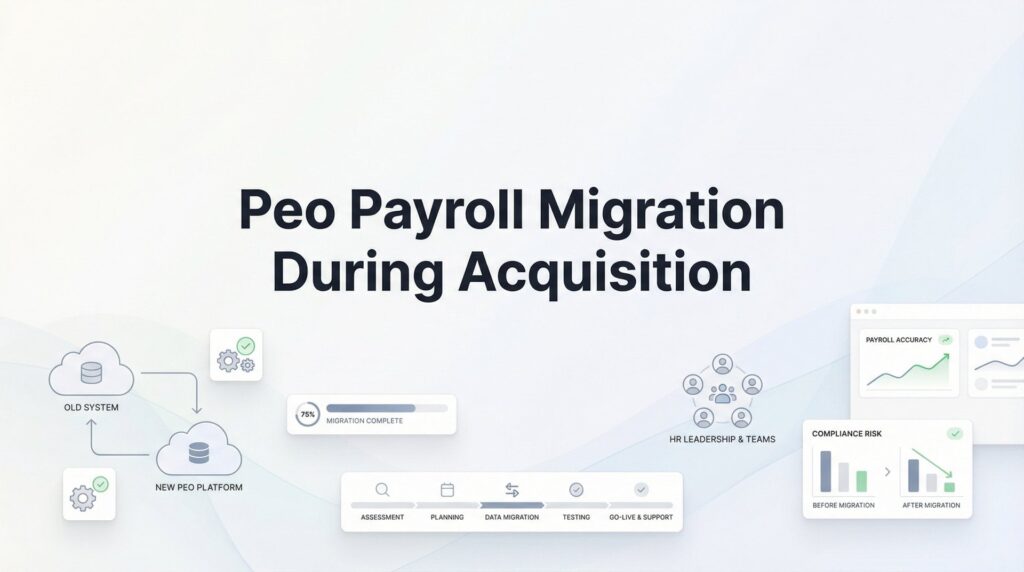
You just closed the acquisition deal. Congratulations. Now someone needs to figure out how to pay 47 employees who’ve been getting paychecks through a PEO you’ve never heard of, and their next pay date is in nine days.
This is where most acquisition integrations hit their first real operational crisis.
Payroll migration during an acquisition isn’t a backoffice formality you handle after the celebration dinner. It’s a high-stakes operation that directly affects employee trust, compliance exposure, and your ability to retain the talent you just paid to acquire. Miss a paycheck, screw up someone’s benefits, or fumble tax withholdings, and you’ve just confirmed every anxiety those newly acquired employees had about their future.
The complexity multiplies when the acquired company uses a PEO. You’re not just moving data between systems—you’re unwinding a co-employment relationship, extracting employee records from a provider who technically owns parts of that data, and navigating contract termination clauses that may not align with your integration timeline.
This guide walks through the actual steps to migrate payroll when acquiring a company that uses a PEO. We’ll cover what to investigate during due diligence, how to choose your target payroll structure, the timeline decisions that prevent disasters, and how to handle the messy transition period when employees might technically exist in two systems simultaneously.
Whether you’re consolidating onto your existing PEO, adopting the acquired company’s provider, or moving everyone to an entirely new solution, these steps apply. Start planning the moment acquisition talks get serious, not after the deal closes.
Step 1: Investigate Payroll Systems During Due Diligence
Payroll due diligence happens before you sign, not after. Request complete payroll registers going back at least two years, full tax filing history, and the actual PEO service agreement—not just the summary terms the seller’s CFO remembers.
You’re looking for structural differences that create integration friction. Pay frequency matters more than you’d think. If you run biweekly payroll and they run semi-monthly, someone’s pay schedule is changing, which means recalculating benefit deductions, adjusting cash flow projections, and communicating the change without triggering retention concerns.
Benefit deduction timing rarely aligns perfectly between systems. One PEO might deduct health insurance on the first paycheck of the month, another splits it across two paychecks. When you migrate mid-month, you risk double-deducting or missing deductions entirely unless you map this out in advance.
Garnishment handling varies significantly between providers. Some PEOs manage garnishments directly, others require you to handle them separately. You need to know which employees have active garnishments, what type (child support, tax levies, creditor judgments), and how those transfer to your new system. Missing a garnishment payment creates legal exposure that follows you personally in some states.
Multi-state registration adds layers of complexity. If the acquired company has remote employees in states where you’re not currently registered as an employer, you’ll need to register before you can process payroll. Some states take weeks to process registrations. Others require bonds or specific insurance coverage before they’ll issue an employer account number.
The PEO contract itself dictates your entire timeline. Termination notice periods range from 30 to 90 days, and some contracts include financial penalties for mid-year termination. If their contract requires 90 days notice and you’re trying to integrate quickly, you’ve just discovered a constraint that affects your entire acquisition timeline.
Flag deal-breakers early. Outstanding tax liabilities become your problem in most acquisition structures. Workers’ compensation claims in progress may or may not transfer cleanly depending on state regulations. If the acquired company is mid-benefit-plan-year and employees have already met their deductibles, switching them to your plan resets everything—which creates both cost implications and employee relations problems.
Request proof that all quarterly tax filings are current and accurate. A PEO that’s behind on 941 filings or has unresolved state tax notices is handing you a compliance mess that will consume weeks of your time post-acquisition.
Step 2: Decide Where Everyone’s Payroll Will Live
You have three realistic paths: consolidate everyone onto your existing PEO, adopt the acquired company’s PEO for the combined entity, or transition both organizations to a completely new solution.
The default assumption—”we’ll just add them to our PEO”—isn’t always the right answer.
Evaluate based on employee count and geographic footprint first. If you’re a 20-person company acquiring a 100-person operation, their PEO probably has better pricing leverage and more robust infrastructure. If you’re expanding into new states through this acquisition, the acquired company’s PEO may already have the state registrations and local expertise you’d otherwise need to build from scratch.
Benefit plan quality matters for retention. If the acquired company has significantly better health insurance, more generous PTO policies, or stronger 401(k) matching, forcing everyone onto your weaker benefits package will trigger attrition among the employees you most wanted to keep. Sometimes the right answer is adopting their PEO specifically to preserve their benefit structure.
Contract flexibility becomes critical during integration. Some PEO contracts lock you into specific benefit carriers or administrative structures that don’t work for a combined entity. Others give you flexibility to customize as you grow. Review both contracts for change-of-control provisions, pricing guarantees, and termination rights before deciding.
Transition costs are real but temporary. Long-term operational efficiency is permanent. Choosing the cheaper short-term option often means you’re back in migration mode within 18 months when the limitations become unbearable. Factor in the cost of running two systems, the administrative burden of maintaining separate benefit plans, and the cultural integration challenges of keeping acquired employees on a different platform.
Speed requirements vary by acquisition type. If this is an acqui-hire focused on retaining a small team, you can afford a longer, more careful transition. If you’re integrating operations immediately and need unified reporting from day one, that narrows your options significantly.
Make this decision within the first two weeks after due diligence access. Everything else in your migration timeline depends on knowing where you’re headed.
Step 3: Build Your Timeline Around Pay Dates
Start with the first unified pay date and work backward. This single date anchors your entire project plan.
Account for PEO notice periods first. If the contract requires 60 days notice, you need to submit termination paperwork 60 days before your target cutover date—not 60 days before you’d like to start planning. Many companies discover this constraint too late and end up paying for overlapping services or delaying integration by a full quarter.
Benefit plan termination rules often have different notice requirements than payroll services. Health insurance carriers typically require 30 days notice, but if you’re mid-plan-year, you may face early termination penalties or be required to continue coverage through the end of the month. Coordinate these timelines separately.
Quarter-end or year-end transitions simplify tax reporting dramatically. When employees receive W-2s from multiple employers in the same year, it’s technically correct but confusing. Transitioning on December 31st means everyone gets one W-2 from the old employer and starts fresh with the new employer on January 1st. Mid-year transitions mean explaining to 50 employees why they have multiple W-2s and no, they don’t add them together when filing taxes.
Tax filing deadlines create hard constraints. If you’re transitioning mid-quarter, someone needs to file the 941 for the partial quarter under the old system before you can close it out. State unemployment filings, workers’ comp audits, and benefit plan reporting all have specific deadlines that don’t care about your integration timeline.
Build in buffer time for the unexpected. PEO data exports always take longer than promised. Employee questions multiply as the transition date approaches. Someone will discover a garnishment that wasn’t in the original data extract. Someone else will have a direct deposit issue that requires manual intervention. Plan for at least two weeks of buffer between your internal deadline and your external commitment.
The ideal timeline runs 90-120 days from decision to first unified payroll. Anything faster than 60 days increases error risk significantly. Anything longer than 180 days creates organizational drag and confuses employees about when the transition is actually happening.
Step 4: Extract and Validate All Employee Data
You need complete, accurate employee data before you can migrate anyone. This is harder than it sounds when dealing with PEOs, because they control the data and may not export it in formats your target system accepts.
Start with the critical data checklist: year-to-date earnings, federal and state tax withholdings, benefit elections, PTO balances, active garnishments, and direct deposit information. Every employee needs all of these data points transferred accurately or you’ll spend weeks fixing paycheck errors.
Year-to-date earnings must be exact. If you’re transitioning mid-year, your new system needs to know exactly how much each employee has earned so far for tax calculation purposes. A $500 discrepancy in YTD earnings throws off federal withholding calculations for the rest of the year, which means the employee either owes money at tax time or gets a smaller refund than expected.
Tax withholding elections require validation against source documents. Don’t assume the PEO’s data is correct. Request copies of W-4 forms for every employee and verify that filing status, dependents, and additional withholding amounts match what’s in the system. Errors here create tax liability problems that surface months later.
Benefit elections need to transfer with full detail. It’s not enough to know someone has health insurance—you need to know which plan tier, which dependents are covered, and what their contribution amount is. Missing this detail means you either deduct the wrong amount or delay enrollment while you gather information.
PTO balances become contentious fast. Employees notice immediately if their vacation balance is wrong. Request detailed PTO accrual history, not just current balances, so you can validate the numbers and explain any discrepancies. Some states require you to pay out unused PTO if there’s any gap in employment, so accuracy here has direct financial implications.
Garnishments require special handling. You need the original court order or agency notice, the current balance, the payment schedule, and the remittance address. Some garnishments have specific payment timing requirements—child support often must be remitted within seven days of the paycheck. Missing these deadlines exposes you to penalties.
Request data in formats your target system accepts. Many PEOs export data as PDFs or in proprietary formats that don’t import cleanly. You may need to request specific file formats or field mappings. Start this conversation early—some PEOs charge for custom data exports or require IT tickets that take weeks to process.
The I-9 question deserves separate attention. Depending on your acquisition structure, you may need to reverify employment eligibility for all acquired employees. Asset purchases typically require reverification. Stock purchases usually don’t. Consult with immigration counsel before making assumptions—getting this wrong creates audit exposure.
Step 5: Navigate the Benefits Transition
Benefits rarely align perfectly between organizations, and this is where employee trust erodes fastest during acquisitions.
Coverage gaps are almost inevitable unless you time everything perfectly. If the acquired company’s health insurance terminates on the 15th but your plan doesn’t start until the 1st of the next month, employees have a gap. Legally, you need to offer COBRA for that gap period. Practically, you should consider bridge coverage or negotiating early effective dates with your carrier to avoid leaving people uninsured.
Waiting periods create retention risk. If your health plan has a 60-day waiting period for new employees and you’re treating acquired employees as “new” for benefits purposes, you’ve just told your new team members they’re losing coverage for two months. Many companies waive waiting periods for acquisition scenarios specifically to prevent this problem.
Pre-existing condition concerns mostly disappeared with the Affordable Care Act, but prescription drug coverage and ongoing treatment can still be disrupted during transitions. An employee mid-chemotherapy or managing a chronic condition needs continuity. Coordinate with your benefits broker to ensure there are no gaps in prescription coverage or provider networks.
Plan year timing creates expensive complications. If the acquired company is halfway through their plan year and employees have already met their deductibles, switching them to your plan resets everything. They’ll pay their deductible twice in the same calendar year. You can address this by timing the transition to coincide with plan year renewals, offering to reimburse duplicate deductibles, or designing a bridge plan that preserves their progress.
Communicate benefit changes clearly and early—at least 30 days before the transition. Employees need time to understand what’s changing, how it affects their coverage, and what actions they need to take. Vague communication or last-minute announcements trigger anxiety and attrition.
Consider accelerated eligibility or enhanced benefits for acquired employees during the transition period. If you’re asking people to accept benefit disruption as part of the acquisition, acknowledging that with temporary enhancements demonstrates that you understand the impact and value their flexibility.
Step 6: Run Parallel Systems During Cutover
Never hard-cut payroll systems. The risk of errors is too high and the consequences too immediate.
Run parallel calculations for at least one full pay period before going live. Process the same payroll in both the old PEO system and your new system, then compare the results line by line. Gross pay, tax withholdings, benefit deductions, net pay—everything should match. When it doesn’t, you need to understand why before you trust the new system with real paychecks.
Reconcile gross-to-net calculations carefully. Small differences in tax calculation methods or rounding can create discrepancies that confuse employees. A $3 difference in net pay might seem insignificant to you, but to the employee it’s a paycheck error that needs explanation.
The double deduction problem surfaces when benefit timing doesn’t align. If the old PEO deducted health insurance on the last paycheck of the month and your new system deducts it on the first paycheck, employees might get double-deducted during the transition month. Plan for this, communicate it in advance, and have a process to refund or adjust as needed.
Establish clear escalation paths for payroll questions during the transition window. Employees will have questions. Some will notice discrepancies you missed. Others will be confused about their pay stubs or tax withholdings. Make sure your HR team knows who handles what and can respond quickly.
Test direct deposit files before the first live payroll. Send a test file to your bank and confirm that all account numbers, routing numbers, and employee identifiers are formatted correctly. A failed direct deposit file on your first unified payroll is exactly the disaster you’re trying to avoid.
Keep the old PEO system accessible for at least one pay period after cutover. You may need to reference historical data, pull reports for reconciliation, or verify information that didn’t transfer cleanly. Don’t terminate access until you’re certain everything is working correctly in the new system.
Step 7: Close Out the Legacy PEO Cleanly
The relationship doesn’t end when you stop processing payroll. Clean closeout prevents problems that surface months later during audits or tax season.
Obtain final tax filings and confirm accuracy. The PEO should file final 941s for the quarters they processed payroll, final state unemployment returns, and any other required tax documents. Request copies of everything and verify that the filing dates and amounts match your records. Errors in final filings become your problem to fix even after the relationship ends.
Workers’ compensation requires special attention. Request proof of policy termination and the effective date. More importantly, request documentation of your experience modifier transfer. Your workers’ comp claims history affects your future insurance rates, and you need that data to transfer to your new carrier. Some states require specific forms or carrier-to-carrier communication to complete this transfer.
Reconcile final invoices carefully. PEOs often have trailing charges for benefits administration, COBRA continuation, or final payroll processing fees. Review every line item and confirm that you’re not being charged for services you didn’t receive or periods after your termination date.
Request final proof of payment for all tax obligations. You need documentation that all federal, state, and local taxes were remitted correctly and on time. If the PEO failed to remit taxes during your relationship, you’re still liable. Confirming this before you close the relationship gives you time to address problems while you still have leverage.
Retain records for audit purposes. Even though you’re no longer working with the PEO, you need to maintain access to historical payroll data for the legally required retention period—typically three to seven years depending on the record type and state requirements. Request complete data exports in a format you can store and access long-term.
Document the termination properly. Send formal termination notices according to the contract terms, keep copies of all correspondence, and maintain a file with the termination date, final invoice reconciliation, and confirmation of all closeout tasks. This documentation becomes critical if disputes arise later.
Getting Payroll Right During Integration
Payroll migration during an acquisition isn’t just an HR project—it’s a trust-building exercise with employees who are already anxious about their future under new ownership.
Get it right, and you’ve demonstrated that the new organization is competent, detail-oriented, and cares about the things that matter to employees. Get it wrong, and you’ve confirmed every fear they had about the acquisition disrupting their lives.
The companies that handle this well treat payroll migration as a Day One priority, not a post-close cleanup project. They start planning during due diligence, make structure decisions early, build realistic timelines around actual constraints, and communicate clearly throughout the process.
Quick execution checklist: Map both payroll systems during due diligence and identify structural differences early. Choose your target payroll structure based on employee count, benefits quality, and long-term operational needs. Build your timeline backward from the first unified pay date, accounting for notice periods and tax filing deadlines. Extract and validate complete employee data before migration. Plan for benefit coverage gaps and communicate changes early. Run parallel systems during cutover to catch errors before they affect real paychecks. Close out the legacy PEO relationship completely with proper documentation.
The transition period is temporary. The employee trust you build—or damage—during that period lasts much longer.
Before you sign that PEO renewal, make sure you’re not leaving money on the table. Many businesses unknowingly overpay because of bundled fees, hidden administrative markups, and contracts designed to limit flexibility. We give you a clear, side-by-side breakdown of pricing, services, and contract terms—so you can see exactly what you’re paying for and choose the option that truly fits your business. Don’t auto-renew. Make an informed, confident decision.
