
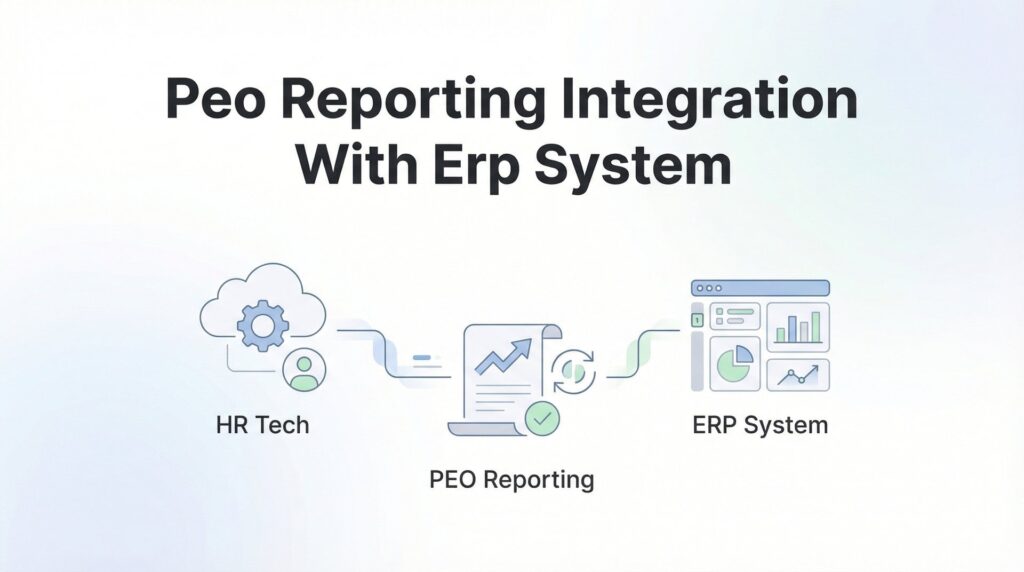
Most businesses that use a PEO alongside an ERP system eventually hit the same wall: payroll data lives in one place, financial reporting lives in another, and someone’s spending hours each month manually reconciling the two. You know the drill—export a report from your PEO portal, massage it in Excel, manually create journal entries in your ERP, then spend another hour figuring out why the totals don’t match.
This guide walks you through connecting your PEO’s reporting capabilities to your ERP—whether that’s NetSuite, SAP, QuickBooks Enterprise, or another platform. We’ll cover the technical options, the practical decisions you’ll need to make, and the common pitfalls that derail these projects.
This isn’t about achieving some theoretical “single source of truth.” It’s about reducing manual work, catching discrepancies faster, and getting labor cost data into your financial systems without the spreadsheet gymnastics. If you’re evaluating PEOs and integration matters to your finance team, this will also help you ask better questions during the selection process.
Step 1: Audit Your Current Data Flows and Pain Points
Before you start shopping for integration solutions, you need to understand exactly what you’re trying to fix. Start by mapping where PEO data currently enters your ERP system. Are you manually creating journal entries each pay period? Importing CSV files? Or is nothing flowing automatically at all?
Document the specific reports you need from your PEO. Most finance teams require payroll journals (gross wages, deductions, net pay), benefits allocations by employee or department, employer tax liabilities, workers’ compensation costs, and headcount breakdowns by cost center. Don’t assume you need everything your PEO can provide—focus on what actually drives decisions or closes your books.
The timing gap matters more than most people realize. When does your PEO finalize payroll data versus when does your ERP accounting period close? If your PEO processes payroll on Fridays but doesn’t finalize reports until the following Tuesday, and your month-end close happens on the last day of the month, you’ve got a structural problem that integration alone won’t solve.
Quantify the manual effort involved in your current process. How many hours does someone spend each pay period moving data between systems? How often do reconciliation errors occur? What’s the typical variance, and how long does it take to track down the source? Understanding these PEO cost reporting best practices can help you identify what’s worth fixing first.
Talk to the people actually doing this work. They’ll tell you about the edge cases that break the process—retroactive pay adjustments, mid-period terminations, bonus runs that don’t follow the normal pattern. These details matter when you’re designing an integration.
Success indicator: You should end this step with a clear list of data elements you need, your current processes documented in detail, and specific problems quantified. If you can’t explain exactly what’s broken and why it costs time or creates risk, you’re not ready to evaluate solutions yet.
Step 2: Assess Your PEO’s Integration Capabilities
Not all PEOs are created equal when it comes to integration. There are essentially three tiers of capability, and knowing which one your provider falls into will determine your entire approach.
The top tier offers API access—real-time or near-real-time data feeds that your ERP or middleware can query programmatically. Enterprise-focused PEOs like ADP TotalSource and TriNet typically offer this, but it’s not always available to smaller clients or may require an additional fee. Ask specifically: What data is available via API? What’s the refresh frequency? Are there rate limits or usage restrictions?
The middle tier provides standard file exports—usually CSV or XML files that you can download on a schedule. This is the most common scenario for mid-market companies. The key questions here: What file formats are supported? Can exports be automated, or do they require manual download? How granular is the data—can you get employee-level detail, or just summary totals?
The bottom tier only offers manual reports, often as PDFs. If your PEO falls into this category, integration will be painful and may not be worth the effort. You’ll end up manually transcribing data or using OCR tools that introduce their own error rates. When comparing options, a thorough PEO providers comparison should include integration capabilities as a key evaluation criterion.
Common limitations to watch for: Some PEOs restrict API access to enterprise clients or charge several thousand dollars annually for it. Others provide exports but only include summary-level data, forcing you to request detailed breakdowns separately. A few will provide integration but only through their preferred technology partners, which may not work with your ERP.
Red flag: If your PEO representative can’t answer these questions clearly or keeps redirecting you to generic marketing materials, that’s a sign their integration capabilities are limited. Push for specifics, ideally including sample data files or API documentation.
Success indicator: You should have a documented list of available data feeds, their formats and refresh schedules, any associated costs, and confirmation that the data includes the elements you identified in Step 1. If there are gaps, you need to know about them now, not after you’ve built half the integration.
Step 3: Evaluate Your ERP’s Import Options
Now flip the equation and assess what your ERP can actually accept. The good news is that most modern ERP systems have multiple ways to ingest external data. The challenge is matching your PEO’s output format to your ERP’s input requirements.
Start by checking for native integrations. NetSuite, Sage Intacct, and other cloud ERPs often have pre-built connectors for major PEOs available in their marketplace or app store. These can dramatically simplify the process, but verify exactly what data they sync and whether they support your specific PEO tier or plan level.
File-based imports are the most common fallback. Nearly every ERP can accept CSV or XML files, either through scheduled imports or manual uploads. The question is how much transformation the data needs before import. Can your ERP map incoming columns to the right accounts automatically, or will you need to pre-process the files?
API ingestion is the cleanest technical solution if both your PEO and ERP support it. Modern ERPs typically accept inbound data via REST APIs, allowing real-time or scheduled data pushes. The catch: this usually requires custom development unless you’re using a pre-built connector. If you’re already running an HRIS, understanding PEO integration with your HRIS platform can inform how you approach ERP connectivity.
Middleware options bridge the gap when direct integration isn’t practical. Integration Platform as a Service (iPaaS) tools like Workato, Boomi, or even Zapier can sit between your PEO and ERP, handling data transformation and scheduling. These platforms reduce the technical burden but add another monthly subscription and another potential point of failure.
Consider your internal capabilities honestly. If you don’t have developers on staff and your IT team is already stretched thin, a solution requiring custom API work probably won’t succeed. File-based imports or pre-built connectors are more realistic.
Success indicator: You should have a matched list showing your PEO’s available outputs on one side and your ERP’s compatible inputs on the other, with any gaps clearly identified. You should also know whether you’ll need middleware, custom development, or can use existing tools.
Step 4: Map Your Chart of Accounts and Cost Centers
Here’s where most integration projects hit their first real obstacle. Your PEO’s payroll categories almost never align perfectly with your ERP’s general ledger structure. Building an accurate mapping table is tedious but absolutely critical.
Start with earnings codes. Your PEO might have separate codes for regular wages, overtime, bonuses, commissions, and PTO payouts. Each of these needs to map to a specific expense account in your ERP. Document every single earnings code your PEO uses, even the rare ones, because the first time an employee gets a retention bonus or shift differential, your integration will break if you haven’t mapped it.
Employer-side costs need separate treatment. Employer taxes (FICA, FUTA, SUTA), benefits contributions, workers’ compensation allocations, and PEO administrative fees should each map to distinct GL accounts. Don’t lump them together—you’ll regret it when you’re trying to analyze labor costs by component. Understanding how PEOs change your labor cost reporting helps you design the right account structure from the start.
Multi-entity or multi-location businesses face additional complexity. If you operate in multiple states or have separate legal entities, you need to ensure costs split correctly. Your PEO likely tracks this by employee assignment, but your ERP may require explicit cost center or department codes. Build this logic into your mapping table upfront.
Deductions create another layer. Employee-paid benefits, garnishments, and other withholdings typically don’t hit your P&L, but they flow through payroll liabilities on your balance sheet. Make sure your mapping handles these correctly to avoid balance sheet reconciliation issues.
Have your finance team validate the mapping before you build anything. They’ll catch things like accounts that should roll up differently for management reporting or cost centers that changed since last year. Getting their sign-off now prevents rework later.
Success indicator: A complete mapping table that covers every possible PEO code to ERP account combination, reviewed and approved by the people who actually close your books each month.
Step 5: Build and Test the Integration
Never go live with an integration on day one. Start with a single pay period’s data in a test environment where mistakes won’t corrupt your actual financial records.
Pull a complete dataset from your PEO for a recent, normal pay period—not one with unusual bonuses or adjustments. Run it through your integration process and import it into your ERP test environment. Then validate totals against the PEO’s summary reports. Do the gross wages match? Do employer taxes reconcile? Are benefits allocations correct?
Check the details, not just the totals. Drill into individual employees and verify their costs landed in the right cost centers. Look at employees who started or terminated mid-period. Confirm retroactive adjustments appear correctly. These edge cases will expose mapping problems that summary-level validation misses. A solid PEO payroll reconciliation process should be your validation framework.
Test error handling deliberately. What happens if the PEO file is missing a required field? What if an employee is assigned to a cost center that doesn’t exist in your ERP? What if the file format changes slightly? Your integration should fail gracefully with clear error messages, not silently import incorrect data.
Run at least three test cycles with different pay periods before considering a production rollout. Include a period with unusual activity—bonuses, retroactive pay adjustments, or a high volume of terminations. If your integration handles these correctly, it’s probably robust enough for real use.
Document everything that breaks during testing and how you fixed it. These notes become your troubleshooting guide when something goes wrong six months from now and the person who built the integration has moved to a different role.
Success indicator: A successful test import that reconciles to the penny with your PEO’s reports, including edge cases, with documented error handling procedures.
Step 6: Establish Ongoing Processes and Monitoring
Integration isn’t a “set it and forget it” project. You need ongoing processes to ensure it keeps working as your business changes.
Define the schedule clearly. When does data flow from the PEO to the ERP? Who reviews it to confirm it imported correctly? What’s the escalation path if something fails? Assign specific owners for each step—”the finance team” isn’t specific enough.
Create reconciliation checkpoints with automated alerts. If imported payroll costs vary by more than a certain threshold from the prior period or from expected amounts, someone should get notified immediately. Catching errors on the day they occur is much easier than discovering them during month-end close. Your payroll tax reconciliation process should include similar monitoring controls.
Document the entire process in a standard operating procedure. Include screenshots, step-by-step instructions, and troubleshooting guidance. Write it for someone who’s never done this before, because eventually that’s who will be following it. Store this documentation somewhere accessible, not buried in someone’s email.
Plan for changes proactively. When your PEO updates benefit rates, adds new earnings codes, or adjusts their file format, your integration may need updates. Establish a communication channel with your PEO to get advance notice of these changes. Review your mapping table quarterly to catch codes that are no longer used or new ones that need adding.
Year-end brings its own complications. Tax rate changes, benefit plan renewals, and W-2 reconciliation all create potential integration issues. Build extra validation steps into your December and January processes. Understanding PEO compliance reporting requirements helps you anticipate what year-end data you’ll need to validate.
Success indicator: A written SOP that covers normal operations, exception handling, and change management, with clear ownership assigned for each component.
Putting It All Together
Getting PEO data into your ERP isn’t a one-time project—it’s an ongoing process that needs ownership and occasional maintenance. The payoff is worth it: faster closes, fewer reconciliation surprises, and labor cost visibility that doesn’t depend on someone remembering to run a report.
Before you finalize any PEO selection, ask specifically about their integration capabilities. A provider with robust API access and standard export formats will save you significant headaches compared to one that only offers PDF reports. The difference in administrative burden can easily justify a slightly higher per-employee fee.
Quick checklist: audit your current state to understand exactly what you’re solving for, assess your PEO’s capabilities to know what’s possible, evaluate your ERP’s options to understand what you can accept, map your accounts meticulously before building anything, test thoroughly in a safe environment, and document everything so the process survives staff turnover.
The companies that succeed with PEO-ERP integration treat it as a business process improvement project, not just a technical implementation. They involve finance, HR, and IT from the start. They validate assumptions early. They build in time for testing and refinement. And they recognize that the goal isn’t perfect automation—it’s reducing manual work and catching errors faster.
Before you sign that PEO renewal, make sure you’re not leaving money on the table. Many businesses unknowingly overpay because of bundled fees, hidden administrative markups, and contracts designed to limit flexibility. We give you a clear, side-by-side breakdown of pricing, services, and contract terms—so you can see exactly what you’re paying for and choose the option that truly fits your business. Don’t auto-renew. Make an informed, confident decision.
