
A payroll company (ADP RUN, Paychex Flex, Gusto, OnPay) processes payroll and files taxes. That's it. A PEO bundles payroll with group health insurance, workers' compensation policy, HR compliance, EPLI coverage, ACA reporting, HRIS, and co-employment legal structure. Payroll-only costs $40–$60 base + $4–$15 per EE monthly. PEO costs $80–$220 PEPM but includes services worth far more for most 10+ EE companies.
Choosing between a PEO and a standalone payroll company isn’t just about running paychecks—it’s about deciding how much of your HR burden you want to offload. A payroll company handles the mechanics: calculating wages, filing taxes, cutting checks. A PEO goes deeper, becoming your co-employer and taking on benefits administration, compliance, workers’ comp, and HR support.
The right choice depends on your headcount, risk tolerance, growth trajectory, and how much time you’re currently burning on HR tasks. Here are the top solutions across both categories to help you match your actual needs to the right type of provider.
1. PEO Metrics
Best for: Businesses evaluating whether they need a PEO or comparing multiple PEO providers side-by-side
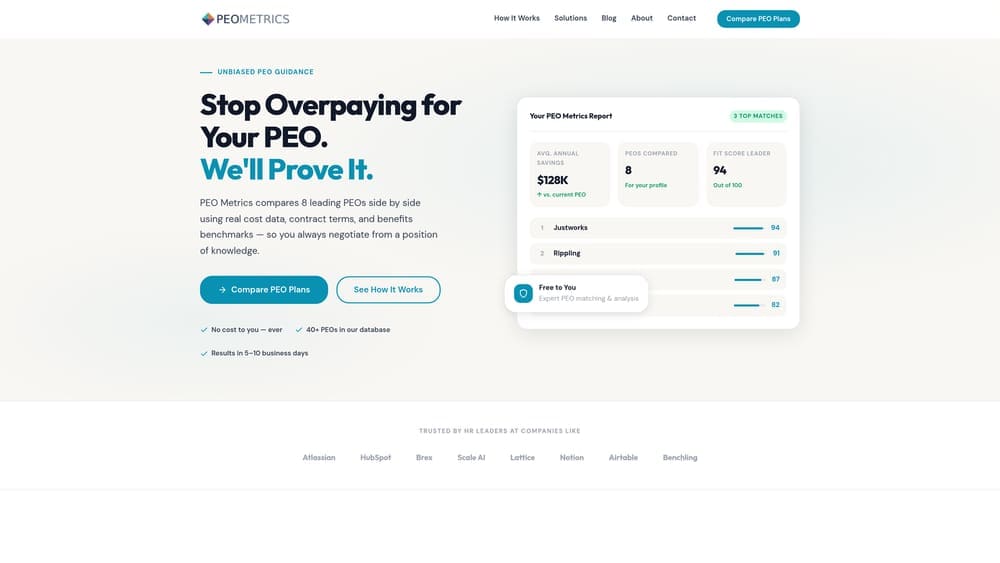
PEO Metrics is an unbiased comparison platform that helps you determine if a PEO makes sense for your business and, if so, which provider offers the best fit.
Where This Tool Shines
Most businesses struggle with the PEO decision because pricing is deliberately opaque and sales reps push bundled packages without explaining what you actually need. PEO Metrics cuts through that noise by giving you transparent, side-by-side comparisons of actual providers with real pricing data and service breakdowns.
The platform doesn’t earn broker commissions, which means the guidance isn’t skewed toward high-commission providers. You get an honest assessment of whether a PEO is right for your situation—or if you’d be better off with a standalone payroll solution.
Key Features
Side-by-Side Provider Comparisons: See how PEOs stack up on pricing, services, contract terms, and client reviews in one clear view.
Detailed Pricing Analysis: Understand what you’ll actually pay, including hidden fees and administrative markups that providers bury in contracts.
Unbiased Guidance: Get recommendations based on your business needs, not sales incentives or commission structures.
Decision Framework: Helps you determine if co-employment makes sense or if you should stick with payroll-only services.
Contract Review Support: Understand what you’re signing before you commit to multi-year agreements with auto-renewal clauses.
Best For
This works best for companies with 5-150 employees who are evaluating PEOs for the first time, comparing renewal options, or trying to figure out if they’re overpaying their current provider. If you’re tired of sales pitches and want straight answers, this is where you start.
Pricing
Free comparison service with no hidden costs or commission-based referrals.
2. Justworks
Best for: Startups and small businesses wanting PEO benefits with transparent, predictable pricing
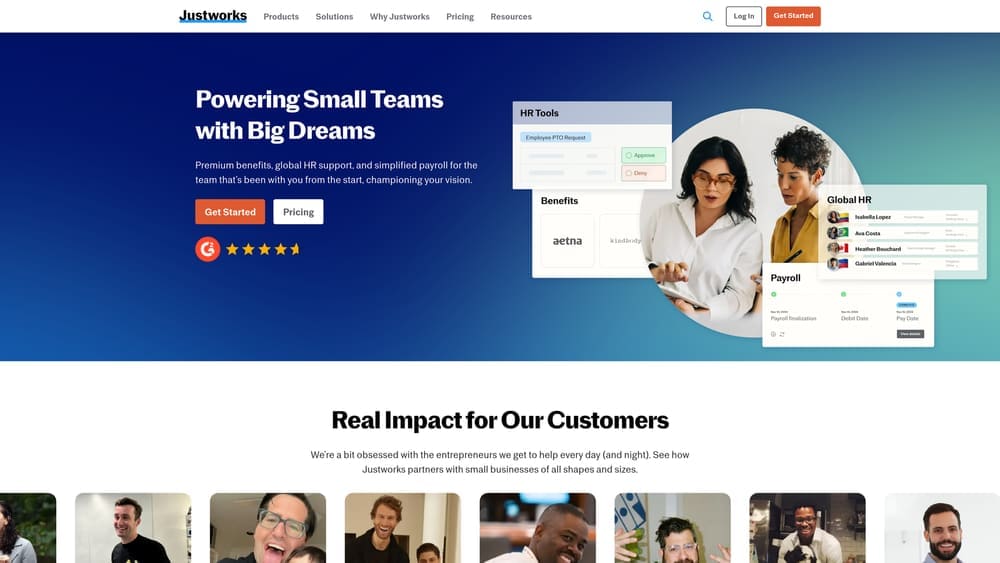
Justworks is a PEO platform built for simplicity, offering flat-rate pricing and access to enterprise-level health insurance without the complexity of traditional PEOs.
Where This Tool Shines
Justworks removes the pricing mystery that plagues most PEOs. You pay a flat monthly fee per employee, which makes budgeting straightforward and eliminates the percentage-of-payroll model that scales unpredictably with raises and bonuses.
The platform gives small teams access to large-group health insurance rates, which can save 20-30% compared to small-group plans. Onboarding is fast, and the interface feels modern compared to legacy PEO systems that look like they were built in 2005.
Key Features
Flat-Rate Pricing: Pay $59 or $99 per employee per month depending on tier, with no surprise percentage fees.
Large-Group Health Insurance Access: Tap into Justworks’ master policy to offer competitive benefits without carrier negotiations.
Built-In Compliance Support: Handles multi-state payroll tax filing, workers’ comp, and basic HR compliance automatically.
Simple Onboarding: Get up and running in days, not weeks, with minimal paperwork and a clean digital process.
Employee Self-Service Portal: Let employees manage their own benefits, PTO, and documents without constant HR intervention.
Best For
Works well for tech startups, creative agencies, and small professional services firms with 5-75 employees who want PEO benefits without enterprise complexity or opaque pricing structures.
Pricing
Basic tier starts at $59 per employee per month. Plus tier with full benefits administration runs $99 per employee per month.
3. Gusto
Best for: Small businesses needing reliable payroll with optional HR features as they grow
Gusto is a payroll-first platform that handles the essentials well and lets you add HR, benefits, and time tracking as modular add-ons.

Where This Tool Shines
Gusto built its reputation on making payroll simple for non-experts. The interface is intuitive, tax filing happens automatically, and employees can access pay stubs and tax documents without bothering you.
The modular approach means you’re not paying for PEO services you don’t need. Start with payroll, add benefits administration when you hire employee number five, and layer in time tracking or HR support as complexity grows. It integrates cleanly with QuickBooks, Xero, and most accounting software small businesses actually use.
Key Features
Automated Payroll and Tax Filing: Run payroll in minutes and let Gusto handle federal, state, and local tax calculations and filings.
Benefits Administration Add-Ons: Offer health insurance, 401(k), and commuter benefits without becoming a benefits expert.
Employee Self-Service Portal: Reduce administrative questions by letting employees manage their own information and documents.
Accounting Software Integrations: Sync payroll data directly into QuickBooks or Xero without manual journal entries.
Contractor Payment Tools: Pay W-2 employees and 1099 contractors from the same platform with proper tax treatment.
Best For
Ideal for businesses with 1-50 employees who need solid payroll infrastructure but aren’t ready for full PEO co-employment. Works especially well for companies with a mix of employees and contractors.
Pricing
Core payroll starts at $40 per month base fee plus $6 per employee per month. Higher tiers with benefits and HR support add $12-18 per employee per month.
4. TriNet
Best for: Growing companies in tech, nonprofits, or professional services needing industry-specific PEO expertise
TriNet is a full-service PEO that specializes in vertical industries, offering comprehensive benefits and dedicated HR consultants who understand your sector.

Where This Tool Shines
TriNet doesn’t try to be everything to everyone. They focus on specific industries—tech startups, nonprofits, financial services, professional services—and build expertise in the compliance and HR challenges those sectors face.
You get access to Fortune 500-level benefits packages, including health insurance, 401(k) with employer matching, and workers’ comp coverage that’s often better than what small companies can negotiate independently. The dedicated HR consultant model means you have someone who knows your industry answering questions, not a generic call center.
Key Features
Industry-Vertical Specialization: Get HR support from consultants who understand tech equity compensation, nonprofit compliance, or professional services liability.
Comprehensive Benefits Packages: Offer medical, dental, vision, 401(k), FSA, and commuter benefits through TriNet’s master policies.
Risk Mitigation and Compliance: Co-employment shifts significant compliance burden to TriNet, reducing your exposure to employment law violations.
Dedicated HR Consultants: Work with assigned advisors who know your business and industry, not rotating support agents.
Workers’ Comp and Liability Coverage: Access better rates and coverage through TriNet’s risk pool and claims management.
Best For
Best fit for companies with 10-200 employees in specialized industries who need more than generic HR support and want benefits that help recruit competitive talent.
Pricing
Custom pricing based on headcount, industry, and service level. Typically runs 2-6% of gross payroll or $150-250 per employee per month depending on configuration.
5. ADP Run / TotalSource
Best for: Businesses wanting a clear upgrade path from basic payroll to full PEO services
ADP offers both standalone payroll (Run) and full PEO co-employment (TotalSource), letting you start simple and scale up without switching providers.

Where This Tool Shines
ADP’s dual-track approach solves a common problem: what happens when your payroll-only needs evolve into full HR outsourcing requirements? With ADP, you can start on Run when you have 5 employees and migrate to TotalSource when you hit 20 without re-implementing systems or losing historical data.
The compliance infrastructure is enterprise-grade. ADP handles multi-state payroll tax filing across all 50 states, stays current on regulatory changes, and has the legal resources to back you up if issues arise. TotalSource gives you access to their master health insurance policies and workers’ comp coverage when you’re ready for co-employment.
Key Features
Run for Payroll-Only Needs: Start with core payroll, tax filing, and basic reporting without PEO commitment.
TotalSource for Full PEO Services: Upgrade to co-employment with comprehensive benefits, HR support, and risk management.
Enterprise-Grade Compliance Infrastructure: Leverage ADP’s legal and compliance teams to stay current on changing regulations.
Seamless Upgrade Path: Transition from Run to TotalSource without data migration headaches or system downtime.
Broad Integration Ecosystem: Connect to hundreds of accounting, time tracking, and business management tools.
Best For
Works well for companies with 5-500 employees who want to start simple but anticipate needing more comprehensive HR services as they grow. Good fit for businesses expanding into multiple states.
Pricing
ADP Run starts around $79 per month base plus per-employee fees (typically $4-8 per employee). TotalSource pricing is custom-quoted based on headcount and service configuration.
6. Paychex Flex / PEO
Best for: Mid-market companies needing modular HR services with strong multi-state payroll compliance
Paychex offers flexible service tiers from basic payroll through full HR outsourcing, with particularly strong capabilities for companies operating across multiple states.

Where This Tool Shines
Paychex Flex is built for modularity. You can start with payroll and tax filing, add benefits administration when you need it, layer in time and attendance tracking, and eventually move to full PEO services—all within the same platform ecosystem.
The multi-state payroll compliance is robust. If you have employees in five states with different tax rates, local ordinances, and reporting requirements, Paychex handles the complexity without you becoming an expert in each jurisdiction. The PEO option provides comprehensive outsourcing when you’re ready to offload HR entirely.
Key Features
Flexible Service Tiers: Choose exactly the services you need without paying for bundled features you won’t use.
Strong Multi-State Payroll Compliance: Handle complex multi-jurisdiction payroll tax filing and reporting automatically.
PEO Option for Comprehensive Outsourcing: Upgrade to co-employment for full benefits, HR, and risk management services.
Retirement and Benefits Administration: Offer 401(k), health insurance, and other benefits without becoming a benefits administrator.
Dedicated Support Teams: Access assigned representatives who know your account, not rotating call center agents.
Best For
Best suited for established businesses with 20-300 employees operating in multiple states who need reliable compliance infrastructure and want flexibility to add services over time.
Pricing
Custom pricing based on headcount and service configuration. Flex payroll typically starts around $39 per month base plus per-employee fees. PEO pricing is quoted based on comprehensive service needs.
7. Rippling
Best for: Tech-forward teams wanting unified payroll, HR, and IT management in one platform
Rippling combines payroll and HR with IT system management, letting you provision software, manage devices, and run payroll from a single unified platform.

Where This Tool Shines
Rippling’s big idea is that HR and IT shouldn’t be separate systems. When you hire someone, Rippling can automatically create their email account, provision software licenses, order their laptop, enroll them in benefits, and add them to payroll—all from one workflow.
The automation capabilities go deeper than traditional payroll platforms. You can set up rules that automatically adjust access permissions when someone changes roles, revoke all system access instantly when someone leaves, and sync employee data across every tool your company uses. For tech companies managing dozens of SaaS tools, this eliminates massive administrative overhead.
Key Features
Payroll with IT System Integration: Run payroll while managing software licenses, device provisioning, and access permissions from the same platform.
Device Management and App Provisioning: Automate laptop ordering, software license assignment, and access control based on employee status.
PEO Available Through Partnership: Access PEO services through Rippling’s partnership network when you need co-employment benefits.
Highly Automated Workflows: Build custom automation rules that connect HR actions to IT systems and business processes.
Unified Employee Data: Maintain single source of truth for employee information that syncs across all connected systems.
Best For
Ideal for tech companies, remote-first teams, and businesses with 10-500 employees who use multiple SaaS tools and want to eliminate manual provisioning and access management.
Pricing
Core platform starts at $8 per employee per month. Individual modules (payroll, benefits, IT management, time tracking) are priced separately, typically adding $4-12 per employee per month each.
8. OnPay
Best for: Budget-conscious small businesses needing straightforward payroll with transparent pricing
OnPay is a no-frills payroll service that handles the essentials well without upselling you on features you don’t need.
Where This Tool Shines
OnPay keeps it simple. You get unlimited payroll runs, tax filing in all 50 states, and basic HR tools for a flat monthly fee. No hidden charges for running an extra payroll, no surprise fees for multi-state filing, no pressure to upgrade to enterprise tiers.
The interface is clean and functional. You won’t find flashy features or complex automation, but you also won’t spend an hour trying to figure out how to run payroll. For small businesses that need reliable payroll without the complexity or cost of larger platforms, OnPay delivers exactly what you need and nothing you don’t.
Key Features
Simple Flat-Rate Pricing: Pay one predictable monthly fee with no surprise charges or hidden costs.
Unlimited Payroll Runs: Process payroll as often as you need without per-run fees or restrictions.
Tax Filing in All 50 States: Handle multi-state payroll tax compliance automatically without additional fees.
Basic HR and Benefits Tools: Access employee onboarding, PTO tracking, and benefits administration without paying extra.
Employee Self-Service: Let employees view pay stubs, update information, and access tax documents on their own.
Best For
Perfect for small businesses with 1-25 employees who need reliable payroll without complexity. Works especially well for service businesses, retail shops, and restaurants with straightforward payroll needs.
Pricing
$40 per month base fee plus $6 per employee per month, with no additional charges for features or extra payroll runs.
Making the Right Choice
The PEO versus payroll company decision comes down to how much you want to offload. If you have 5-10 employees, limited HR complexity, and existing benefits relationships, a payroll-only solution like Gusto or OnPay probably makes sense. You’ll pay less and maintain full control.
Once you hit 15-20 employees and start dealing with benefits negotiations, compliance questions, and HR issues that eat up your time, a PEO like Justworks or TriNet starts looking attractive. The co-employment model costs more, but you’re buying access to better benefits and offloading risk.
If you’re growing fast or operating across multiple states, platforms like ADP or Paychex give you flexibility to start simple and scale up. And if you’re a tech company drowning in IT provisioning tasks, Rippling’s unified approach might save you more time than traditional HR platforms.
Before you sign that PEO renewal, make sure you’re not leaving money on the table. Many businesses unknowingly overpay because of bundled fees, hidden administrative markups, and contracts designed to limit flexibility. We give you a clear, side-by-side breakdown of pricing, services, and contract terms—so you can see exactly what you’re paying for and choose the option that truly fits your business.
Don’t auto-renew. Make an informed, confident decision.
References & Sources
Government and industry sources referenced throughout this guide:
- IRS — Professional Employer Organization Overview ↗IRS authoritative landing page for PEO definition, classification, and certification.
- NAPEO — Industry Statistics ↗PEO industry size, growth, employment, and average client outcomes.
- NAPEO — What Is a PEO ↗Industry-association overview of how the PEO model works.
- DOL — Wage and Hour Division ↗Federal labor standards that apply under co-employment.
- IRS — Employer Tax Responsibilities ↗Federal employment tax obligations that flow through co-employment.
