

A finance lead often reaches the same point at the wrong time. The estimating team has one spreadsheet, the project manager has another, the lender asks for a debt view that ties to stabilized income, and the latest subcontractor pricing is sitting in email instead of the model. The budget still looks controlled until one revised bid, one delayed permit, or one financing change exposes that the workbook was never a pro forma at all. It was a static budget with formulas.
That gap matters most when a project is large enough to hurt but still too lean for sloppy forecasting to hide inside overhead. A credible construction pro forma template turns disconnected tabs into a decision tool that can absorb live bids, debt terms, and downside scenarios without breaking. Teams that already use broader real estate underwriting frameworks often borrow from PropLab’s investment analysis strategies to tighten assumption discipline before the model reaches a lender. For firms also looking at workforce cost structure and outsourced admin trade-offs, construction company PEO ROI analysis can help frame labor costs that eventually flow into overhead assumptions.
Table of Contents
- Introduction and Importance of a Pro Forma
- Gathering Essential Inputs for Your Template
- Structuring the Excel Model and Core Formulas
- Adding Scenario and Sensitivity Analysis
- Avoiding Common Pitfalls and Troubleshooting
- Template Walkthrough and Download Guide
- Conclusion and Next Steps
Introduction and Importance of a Pro Forma
The common assumption is that a detailed budget is enough. It isn’t. A budget can total costs, but it usually can’t show what happens when rents soften, debt service tightens, or actual subcontractor pricing lands above the original estimate.
A professional construction pro forma template is built to answer those questions before the draw process starts. Standard templates commonly project over a 10-year period so the model can carry a project through development and into stabilized operations, rather than stopping at substantial completion, according to Procore’s construction pro forma overview. That longer horizon is what makes lender conversations cleaner and board presentations more credible.
Practical rule: If the workbook can’t connect predevelopment assumptions, construction draws, operating income, and downside cases in one place, it’s not ready for credit review.
The best templates also follow a recognizable structure. The standard backbone includes Pre-Analysis, Project Summary, Budget & Draw, Unit Mix, and Stress Tests, which keeps cost, revenue, and risk assumptions from getting mixed together in one tab, as outlined in the same Procore construction pro forma guide.
Gathering Essential Inputs for Your Template
A strong model starts before Excel opens. Missing inputs don’t create small errors. They create false confidence.
Start with scope before touching cost cells
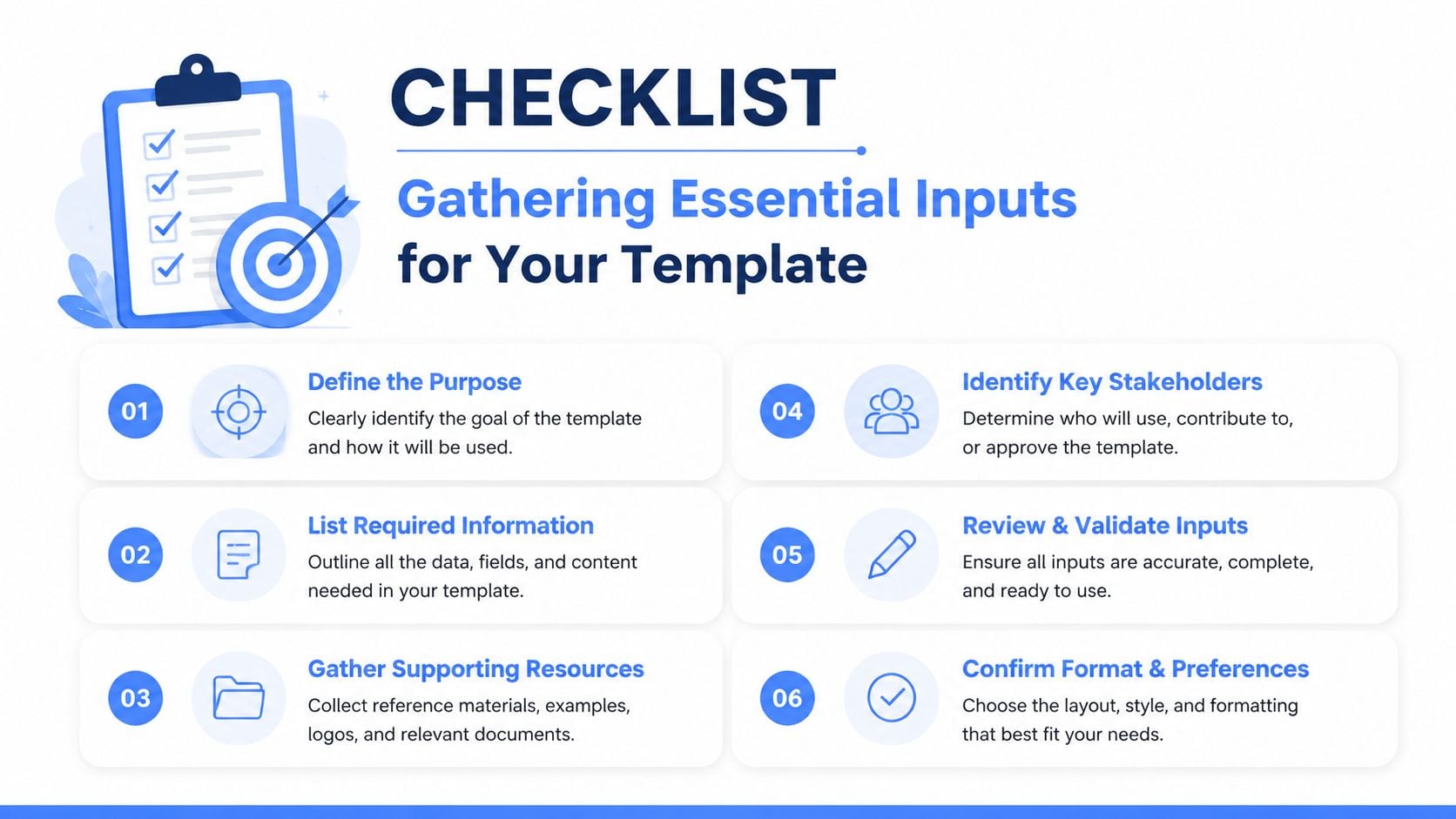
The cleanest way to assemble inputs is to follow a disciplined validation sequence. A rigorous construction pro forma methodology requires a five-step validation process: define scope and timeline, enter conservative revenue backed by comparables, input granular cost breakdown by category, add financing schedules, and factor in 5–10% contingencies before benchmarking assumptions against historical projects, according to Operate’s construction financial modeling guide.
That sequence matters because scope errors contaminate every downstream formula. If the team hasn’t nailed project type, location, build duration, and size, every hard-cost input is unstable.
A practical intake sheet should capture:
- Project definition: Asset type, location, build or renovation scope, timeline assumptions, and square footage.
- Revenue basis: Conservative rent assumptions tied to recent comparable transactions, not broker optimism.
- Historical reference points: Prior jobs with similar site conditions, schedule pressure, and finish level.
For firms balancing field labor, payroll admin, and indirect cost allocation, construction payroll cost planning is often a useful parallel exercise because payroll treatment frequently leaks into general conditions and overhead lines.
Collect costs in the same language the field uses
The cost tab should mirror how an estimator and superintendent think, not how a summary deck looks. Hard costs belong in trade-based categories. Indirect costs need their own section. Fees, permits, insurance, and overhead should never be buried inside one broad contingency line.
A useful intake checklist looks like this:
| Input group | What to gather |
|---|---|
| Hard costs | Sitework, foundation, structure, roofing, exterior walls, interior finishes, mechanical systems |
| Indirect costs | Permits, insurance, professional fees, overhead |
| Bid support | Current subcontractor bids, exclusions, alternates, qualification notes |
| Draw data | Draw timing, retention mechanics, payment lag assumptions |
| Contingency | Separate contingency assumptions tied to hard costs |
| Revenue support | Unit mix, rentable square footage, comparable rents, vacancy assumptions |
When the project uses a cost-plus contract, the billing logic changes how the model should separate reimbursable costs from fee layers. That’s where understanding cost-plus agreements becomes useful reading before the workbook structure gets locked.
A template is only as reliable as the source discipline behind each line item. If the estimator uses trade detail and finance rolls it into one lump sum, variance analysis is lost on day one.
Build the financing file at the same time
Too many teams build costs first and debt later. That creates a workbook that can state total development cost but can’t show whether the capital stack survives the schedule.
The financing packet should include lender term sheets, anticipated draw cadence, equity timing, interest assumptions, repayment structure, and required covenants. A good model also tracks retainage by draw and ties it to cash timing rather than treating it as a footnote.
At this stage, the objective isn’t elegance. It’s completeness. If the workbook opens with assumptions that the lender, PM, and estimating lead all recognize as theirs, the model becomes a live management tool instead of a ceremonial spreadsheet.
Structuring the Excel Model and Core Formulas
The workbook should feel boring in the best possible way. Predictable sheet order, short formulas, visible assumptions, and no mystery links to old files.
Use separate sheets for separate jobs
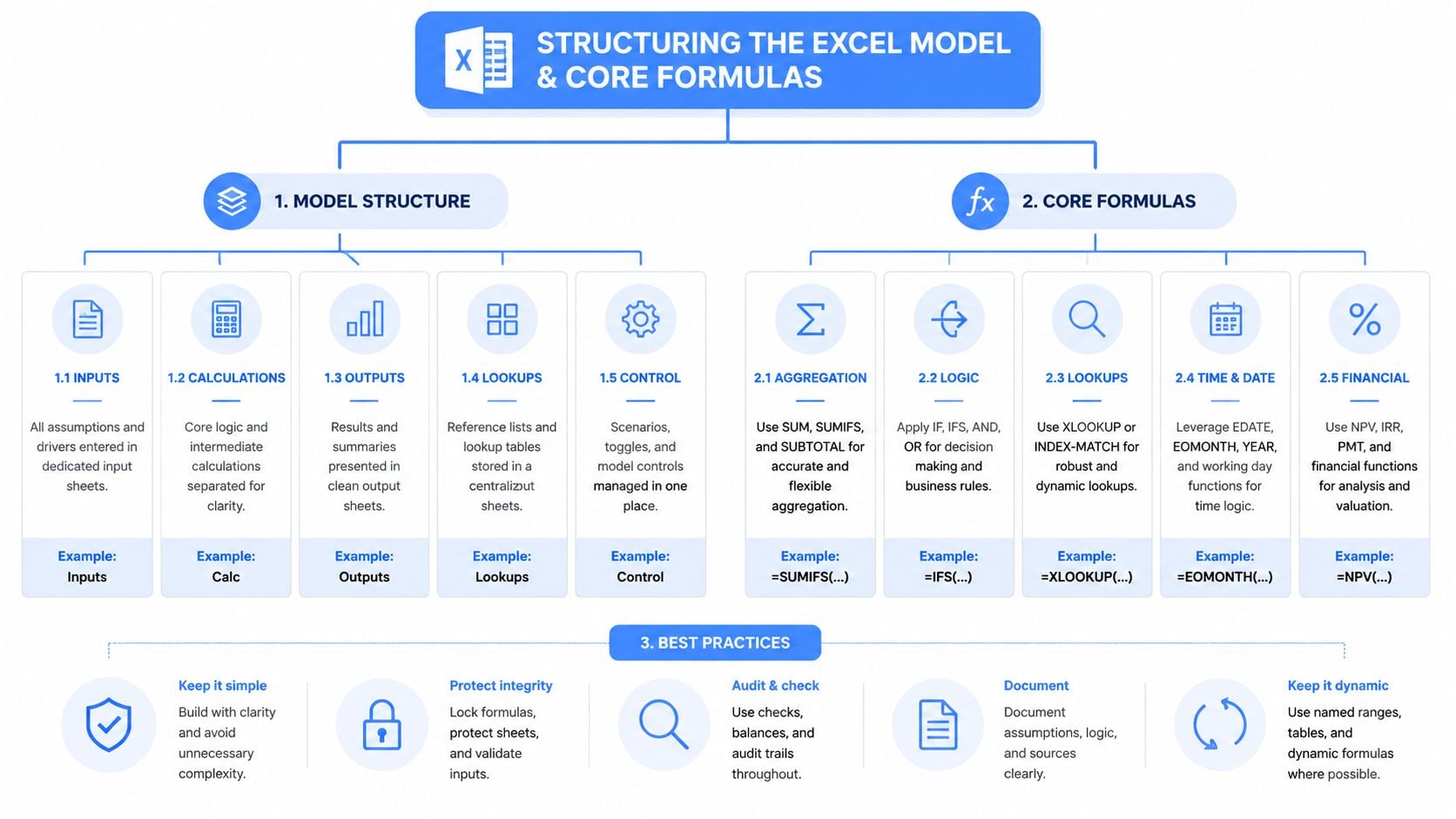
A reliable construction pro forma template usually mirrors the structure lenders and development teams already expect:
- Pre-Analysis
- Project Summary
- Budget & Draw
- Unit Mix
- Stress Tests
That same layout appears in professional templates used in practice, and it keeps assumptions from sprawling across one oversized worksheet. The Budget & Draw tab should hold trade detail and monthly cash timing. The Project Summary should stay readable enough for a lender memo. The Unit Mix tab should feed rentable area and revenue assumptions without manual rekeying.
For construction cost detail, use formulas that subtotal categories visibly. If hard costs for a section sit in rows 7 through 15, a formula like =SUM(D7:D15) is clearer than nesting multiple additions. If a retainage-adjusted payable uses gross cost in E20 and retainage in F20, =E20*(1-F20) keeps the logic transparent.
The EPA spreadsheet framework also requires cost inputs such as square feet to be constructed and cost per square foot by building type, while separating existing construction and renovation costs into distinct areas, according to the EPA pro forma workbook example.
Write formulas that lenders can follow
Operating performance should flow from rents to expenses to valuation with no hidden adjustments. Construction pro forma templates mandate calculating NOI by subtracting operating expenses and management fees from rental rates on a per square foot basis, then deriving cap rate by dividing that NOI by the property’s value, based on the EPA pro forma workbook example.
A simple formula chain might look like this:
- Gross potential rent = rentable square feet × rent per square foot
- Effective revenue = gross potential rent adjusted for vacancy
- NOI = effective revenue minus operating expenses and management fees
- Cap rate = NOI divided by property value
Commercial lenders also care about DSCR. Institutional underwriting commonly expects NOI to exceed debt service by roughly 1.20x to 1.25x, as described in RiverEditor’s real estate development pro forma guide. In the same guide, the underwriting example shows that on a $10 million loan with $800,000 annual debt service, the property needs $960,000 to $1,000,000 in NOI to qualify.
That doesn’t belong in a memo only. It belongs in the model summary.
For teams building more formal finance workbooks, a financial modeling template for PEO analysis is a useful reminder that decision models work best when assumption tabs, summary views, and scenario controls are separated from raw calculations.
Name ranges and trap errors early
Named ranges help, but only if they describe business meaning. Use names like RentPSF, VacancyRate, LoanRate, and MonthlyCarry. Avoid names like Input1 or AssumpB.
A few controls make a big difference:
- Lock formula cells: Prevent accidental edits in summary tabs.
- Add data validation lists: Use dropdowns for scenario selection, draw month, and building type.
- Install error checks: Flag broken links, negative square footage, and missing financing assumptions.
- Track estimate versus actuals: Variance columns should sit beside the original budget, not on a separate buried worksheet.
Lenders rarely reject a model because it’s too simple. They reject it because they can’t trace the logic.
Adding Scenario and Sensitivity Analysis
A static base case gives false comfort. The model earns its keep when assumptions move and the workbook still answers quickly.
Build assumptions once and switch them cleanly
The standard projection horizon is often 10 years, which matters because many projects don’t reach stabilized operations until well after construction wraps, according to Procore’s construction pro forma overview. That means scenario design can’t stop at construction closeout. It needs to carry lease-up, vacancy changes, operating costs, and debt coverage into the operating years.
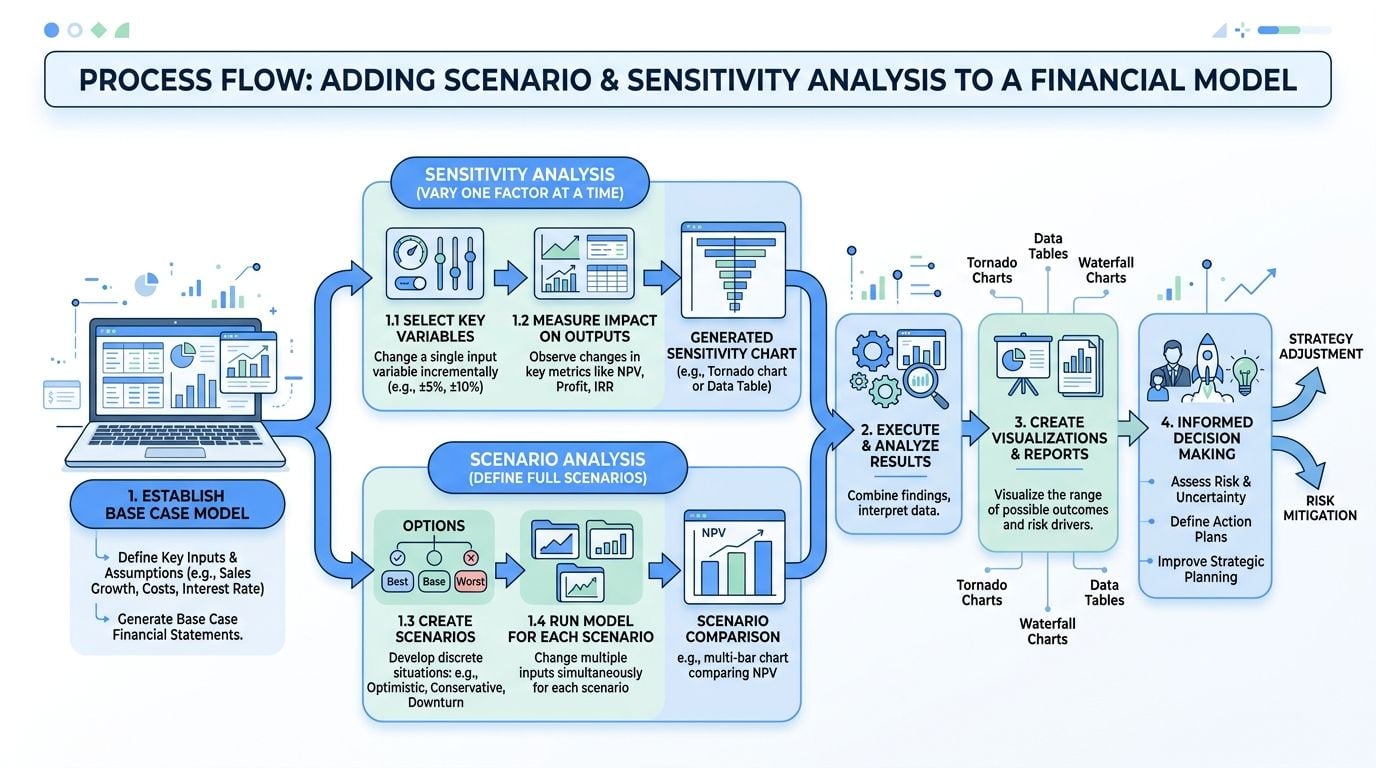
A clean setup uses three assumption sets:
| Scenario | Typical use |
|---|---|
| Base | Underwritten operating and construction assumptions |
| Optimistic | Faster lease-up, smoother execution |
| Worst-case | Delay, revenue pressure, financing stress |
Use a scenario selector cell on the dashboard and point formulas to the chosen assumption row with INDEX/MATCH. That way, rent, carry costs, timing, and debt terms all switch together instead of being overwritten manually.
Stress the model where financing actually breaks
The worst-case tab shouldn’t be cosmetic. Professional pro formas should model downside cases such as construction delays extending the timeline by 6–9 months, revenue dropping by 20%, or interest rates rising by 2–3%, according to Cube Software’s pro forma template discussion. The same source gives a concrete reminder of why this matters: on a project carrying $500,000 monthly, a 6-month delay adds $3 million in cost.
That type of stress test belongs in a dashboard that answers three questions fast:
- Does liquidity hold?
- Does DSCR still pass?
- How much equity gets pulled forward?
A useful dashboard can show monthly carry, ending cash, debt draws, and a covenant flag. If the interest-rate shock pushes debt service coverage below the lender threshold, the workbook should signal failure automatically.
Pro formas aren’t predictions. They’re assumption sets under pressure.
The most useful scenario pages also show breakpoints. A CFO doesn’t just need to know that the downside fails. The CFO needs to know which assumption breaks the deal first.
For teams that want a comparable framework for board-ready downside modeling, financial sensitivity analysis models show the same discipline: isolate key variables, test them independently, then combine them to expose the actual risk boundary.
Avoiding Common Pitfalls and Troubleshooting
Bad construction models usually don’t fail because of one dramatic formula error. They fail because several small shortcuts hide in the same file.
The biggest modeling errors are usually structural
One repeat issue is stale pricing. Most templates fail to integrate real-time subcontractor bid validation, which leaves developers relying on outdated indicative offers. Validating each major trade line against current pricing reduces forecasting variance, yet few models automate that workflow, according to GetBuilt’s discussion of development pro formas.
Another mistake is over-aggregation. Construction budgets should be broken into trade-specific hard cost categories such as Sitework, Foundation, Structure, Exterior Walls, Roofing, Interior Finishes, and Mechanical Systems, not collapsed into one line, as described in JMCO’s guide to building a pro forma. That same guide notes an example where category-level tracking can expose a 15% variance in Mechanical Systems instead of hiding it inside a generic overrun.
A practical risk review should also include construction compliance risk considerations because insurance, labor administration, and documentation gaps often drift into indirect cost overruns that the original workbook never modeled cleanly.
Quick checks that catch bad models fast
Use a short troubleshooting routine before any lender or ownership review:
- Bid-to-budget check: Compare each major trade line to current subcontractor pricing and flag material deviations.
- Retainage audit: Confirm retainage formulas flow through both payable timing and cash needs.
- Scenario integrity test: Switch cases and verify every linked assumption changes with the selector.
- Circular reference scan: Interest carry and debt draw logic often create loops if debt service is fed back incorrectly.
- Variance visibility: Keep budget versus actual columns adjacent, not on a separate archive tab.
The fastest way to improve a weak template is to make assumptions visible, category detail explicit, and exceptions impossible to miss.
Template Walkthrough and Download Guide
A useful downloadable file shouldn’t look clever. It should look controlled.
What each tab should do
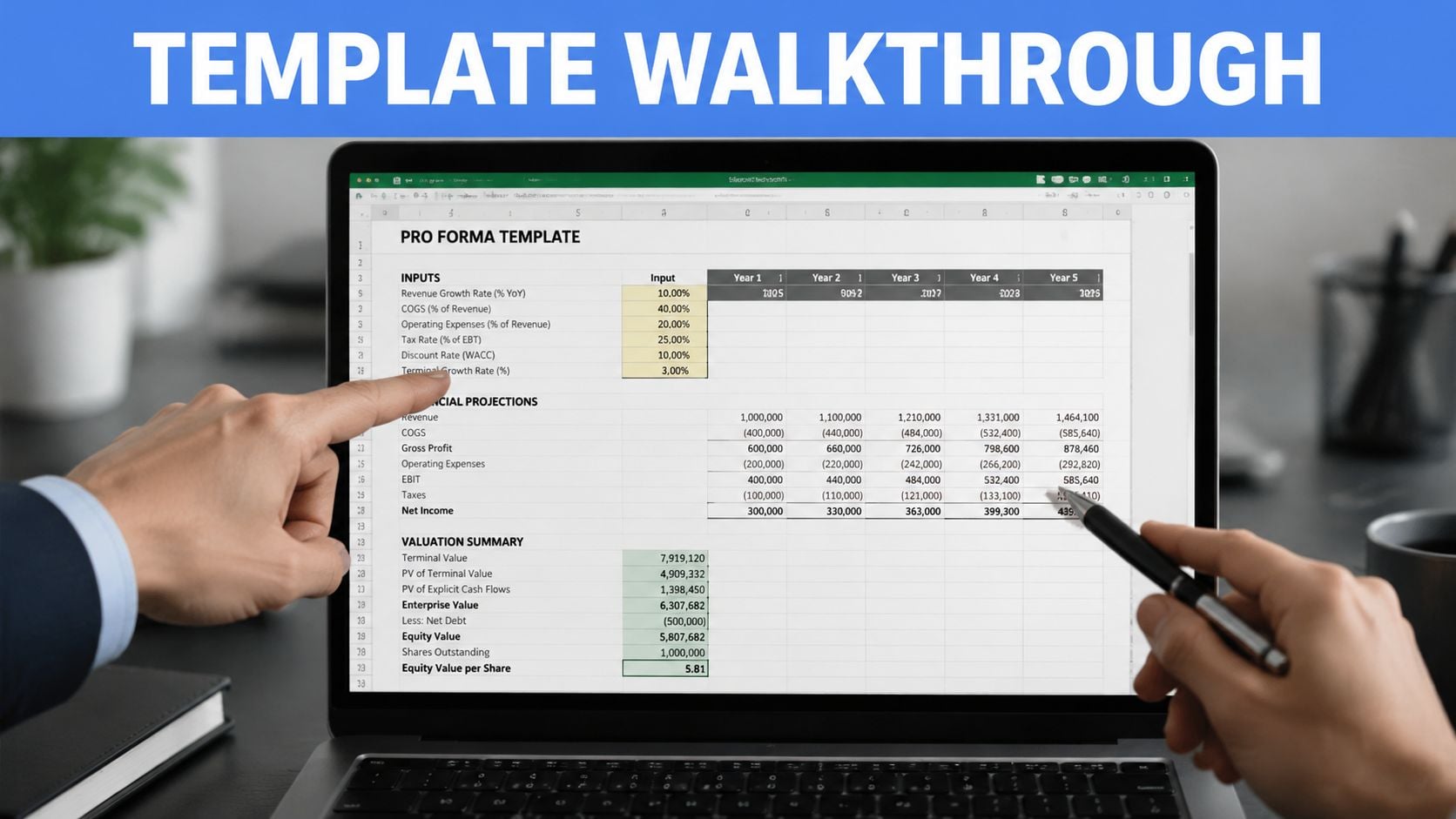
A practical template walkthrough usually starts on the Pre-Analysis tab. That page holds project name, location, square footage, construction type, and high-level timing assumptions. Nothing on that tab should require scrolling sideways to understand.
The Budget & Draw sheet does the heavy lifting. Trade costs, indirect costs, contingency, draw timing, and monthly carry are entered on this sheet. If the file is being adapted for a $5 million commercial renovation project, the easiest approach is to duplicate the sample budget structure, revise cost categories for demolition and renovation work, and relink the summary cells rather than deleting formulas ad hoc.
The Project Summary tab should show only what a decision-maker needs:
- Total development cost
- Funding sources
- Stabilized NOI
- Cap rate output
- DSCR output
- Scenario selector
- Key variance flags
How to adapt the file without breaking it
A few workbook controls save hours later:
Keep all blue cells for inputs, all black cells for formulas, and protect the sheets before sharing the draft outside finance.
Use data validation lists for draw dates and scenario names. Lock formula cells on the summary and stress-test tabs. Keep file names disciplined, such as ProjectName_ProForma_v01, then move to dated versions only when assumptions materially change.
If the model will circulate among operations, finance, and outside capital partners, add a small assumptions log on the front tab. It doesn’t need to be long. It just needs to state what changed, when it changed, and who approved it.
A good template isn’t just downloaded. It’s governed.
Conclusion and Next Steps
A construction pro forma template does its real job when it stops being a snapshot and starts acting like a controlled operating model. The payoff is straightforward. Lenders can trace underwriting logic, finance teams can see downside exposure before cash gets tight, and project leaders can compare bids against the live model instead of a stale estimate.
The immediate next moves are practical:
- Gather current subcontractor bids and lender terms
- Build the workbook with separate assumption, budget, summary, and stress-test tabs
- Add DSCR and liquidity checks to the dashboard
- Pressure-test the downside before the next financing review
- Update the file as bids, timeline assumptions, and market inputs change
Teams that review the model regularly catch problems earlier. Teams that treat it like a one-time spreadsheet usually catch them after the budget has already moved.
Companies evaluating payroll, benefits, compliance support, or a PEO transition can use PEO Metrics to compare providers side by side, benchmark total cost, and negotiate stronger contract terms without relying on vendor sales pitches.
